
Short Form Video Editor Guide for Creators
6 October 2026
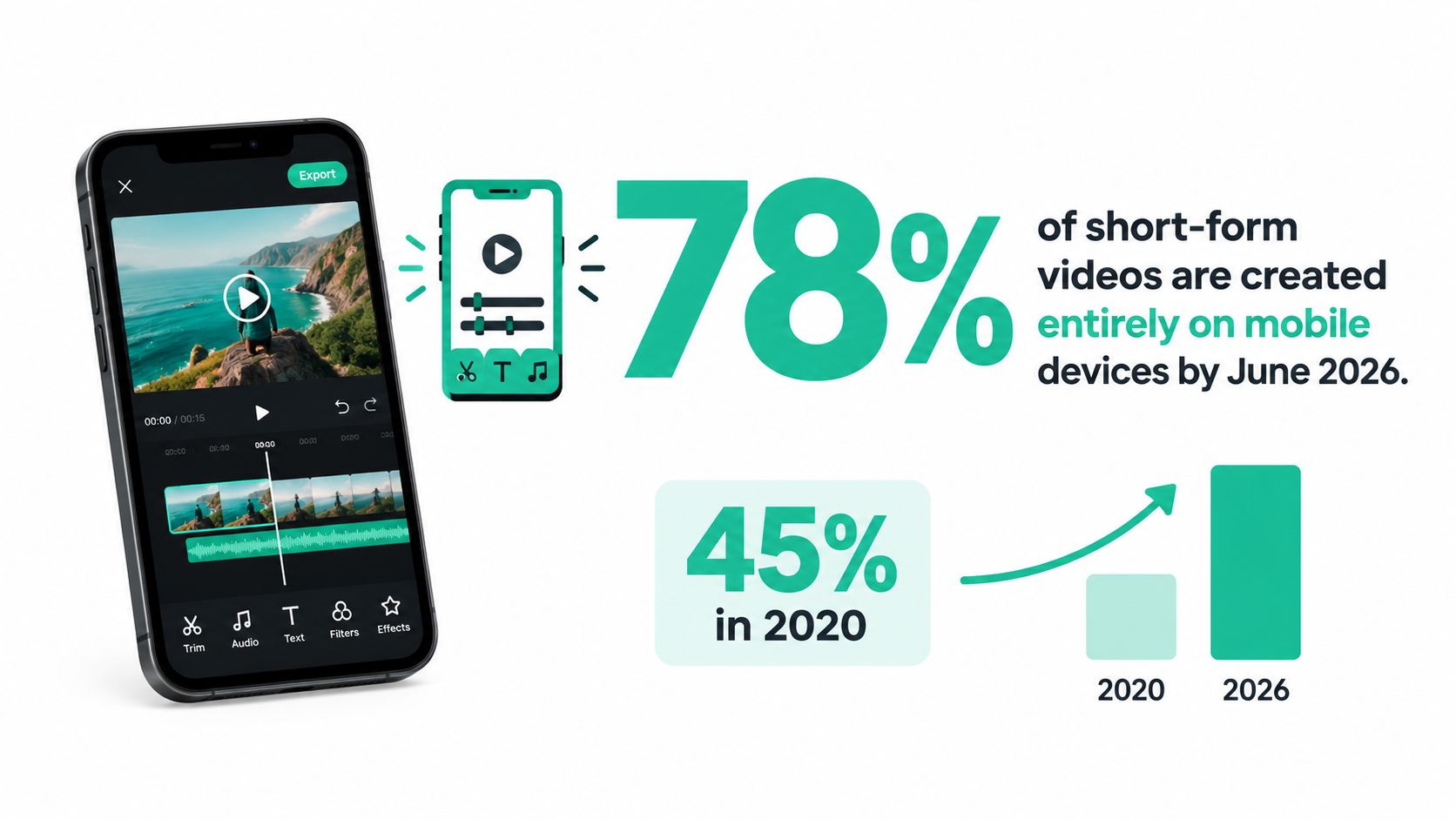
By June 2026, 78% of short-form videos were created entirely on mobile devices, compared with 45% in 2020. The right short form video editor is therefore not the one with the longest feature list, but the one that helps you create, adapt, caption, export, and publish batches of vertical videos with minimal friction.
Short-form production has become an operations problem. A creator may start with one recording, turn it into several hooks, localize the captions, resize the composition, and deliver versions for TikTok, Instagram Reels, and YouTube Shorts. A tool that produces one polished clip but slows down every variation won't hold up for a serious publishing schedule.
Table of Contents
- Why Mobile-First Editing Is Now Non-Negotiable
- Understanding Platform Format Requirements
- The Performance Gap That Changes Everything
- How Revid.ai Can Help
- Captions and Retention as Performance Levers
- High-Volume Production vs Deep Editing Features
- How to Choose the Right Short Form Video Editor
- Building Your Weekly Short-Form Video Pipeline
Why Mobile-First Editing Is Now Non-Negotiable
A creator records a product demonstration on a phone, sends the footage to a desktop editor, waits for the project to sync, rebuilds the vertical canvas, adjusts captions that sit under the platform interface, and then exports a file that still needs to return to the phone for publishing. None of those steps improves the idea or the edit. They create distance between the footage and the audience.
That workflow made sense when desktop software was the default production environment. It becomes wasteful when most short-form content is already created on mobile devices. The shift to mobile isn't a temporary preference. It reflects where creators capture footage, review drafts, respond to trends, and publish. Market coverage of short video editing software reports that mobile platforms held 72.5% combined share in 2025, while 78% of short-form videos were created entirely on mobile devices by June 2026.
The real cost of a desktop-first workflow
Desktop editors still have an important role. They offer detailed timeline control, advanced audio treatment, color tools, and project organization that some teams need. The mistake is treating those capabilities as automatically valuable for every short-form job.
For a social team publishing frequently, the main bottleneck is often the number of small decisions between the source clip and the final upload:
- Canvas setup: The project should open in a vertical composition instead of requiring a manual conversion.
- Template reuse: A recurring hook, logo treatment, caption style, and end card should be available without rebuilding them.
- Fast review: Editors need to scrub, trim, and approve clips on the same devices used to capture and publish them.
- Quick export: A draft that takes too long to render interrupts review cycles and delays the entire batch.
- Platform adaptation: The editor should preserve the subject, text, and focal point when a version changes.
A mobile-first editor doesn't have to be simplistic. It needs to put the actions used repeatedly, trimming, captioning, resizing, exporting, and duplicating, ahead of specialist controls that only matter occasionally.
Practical rule: Choose the environment where your team can complete the full loop from raw footage to approved upload, not merely the environment with the most powerful timeline.
The category itself has expanded beyond novelty apps. One market estimate values short video editing software at USD 2.72 billion in 2024 and projects USD 10 billion by 2035, with an estimated 12.6% CAGR over that period. Another estimates short-form video editing apps at USD 2.14 billion in 2024, reaching USD 6.42 billion by 2033 at a 13.7% CAGR. These are projections from separate market reports, but both point to sustained demand for tools built around mobile creation, templates, captions, and platform-ready output.
Understanding Platform Format Requirements
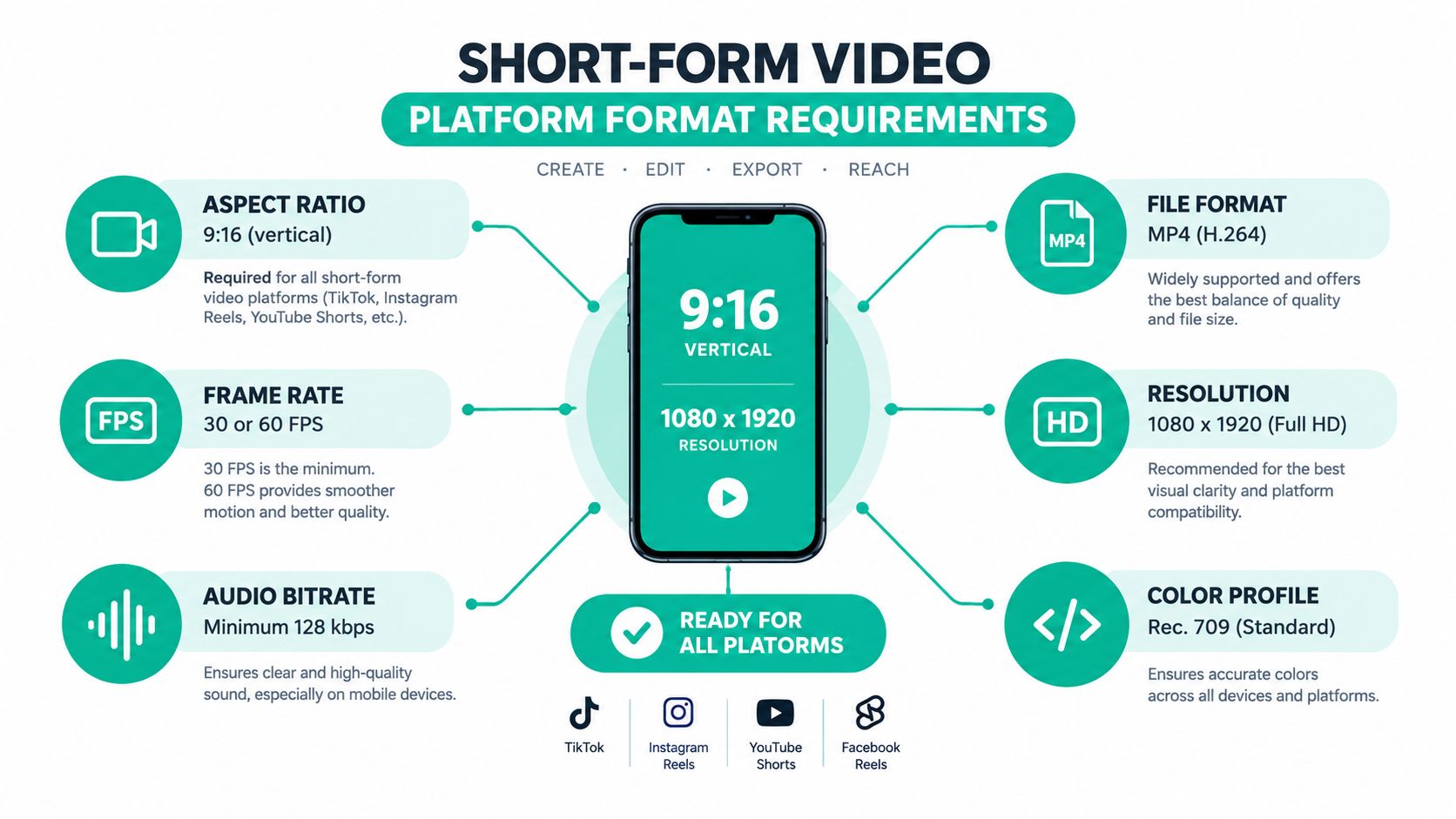
A short form video editor should enforce the technical basics before you start making creative decisions. The standard working profile for major short-form surfaces is vertical 9:16 at 1080×1920, with 30 fps as the common baseline and 60 fps for motion-heavy footage. MP4 with H.264 remains the practical export choice because it balances compatibility, file size, and upload reliability across TikTok, Reels, and Shorts. This overview of short-form video editing specifications explains why these settings function as a common production profile.
Build the canvas before the cut
Start each project with a fixed vertical template. Don't edit a wide-format video and hope that an automatic crop will preserve the speaker, product, or on-screen text. Auto-cropping can be useful for a first pass, but it needs human review whenever the subject moves or the visual message depends on context near the frame edges.
The same principle applies to captions and calls to action. Platform interfaces can cover parts of the lower frame, so important text shouldn't sit close to the bottom edge. Create a visible safe area in your template, then test it on an actual phone rather than trusting the desktop preview.
A useful template includes:
- A locked aspect ratio, so every duplicate inherits the correct canvas.
- A caption-safe position, with enough separation from interface overlays.
- A consistent text hierarchy, so viewers recognize hooks, supporting points, and calls to action.
- A crop-aware media frame, especially for product shots and talking-head footage.
- A standard export preset, so every approved variation uses the same file format.
Short-form platforms may differ in duration rules, interface placement, and publishing behavior. Treat the universal profile as a starting point, not permission to upload one file blindly everywhere. Keep separate templates when a channel needs a different text position, crop, or end card.
The same discipline helps when you repurpose visual content for other vertical formats. A reference such as this guide to Pinterest pin dimensions can help a team keep channel-specific layout decisions separate from its core short-form template.
Use technical limits as creative guardrails
Fixed dimensions can improve creative consistency. A vertical frame encourages one clear subject, a readable opening, and less clutter. A stable frame rate makes motion feel predictable. A standard export profile reduces the chance that one version looks soft, produces unexpected borders, or triggers another conversion before upload.
Don't add technical settings because they're available. Use 60 fps when the source footage and movement justify it. Use the simplest reliable export that preserves the intended image and sound. The best short form video editor hides routine configuration while keeping the important choices visible for review.
The Performance Gap That Changes Everything
Rendering speed changes the shape of a production day. If an editor takes too long to preview a transition or apply a filter, the operator stops experimenting. If every variation requires a separate wait, the team reduces the number of versions it creates. Slow processing doesn't only waste time at export. It narrows creative judgment.
Mobile video-editing research makes the difference concrete. In one study, applying a gamma filter and displaying a frame took 2.5 milliseconds with GPUImage on an iPhone 4, compared with 106 milliseconds using Core Image and 460 milliseconds with CPU-based processing. The figures come from the mobile video-editing research paper, and the hardware is historical, but the workflow lesson remains useful: repetitive visual operations benefit from GPU acceleration.
Latency becomes a production constraint
A responsive preview lets an editor check whether a cut lands on the right word, whether a caption appears at the right moment, and whether a transition supports the idea. That feedback happens while the decision is still fresh. A delayed preview pushes review into a separate task, which increases the chance that obvious errors survive to export.
GPU offload matters most for operations repeated across many clips:
- Filters and color adjustments
- Caption previews and text animation
- Transitions and overlays
- Timeline scrubbing
- Thumbnail and cover-frame generation
- Repeated exports from a shared template
A short-form team should test this directly. Import the same source material into two candidate tools, duplicate the project into several variations, and preview the operations you perform most often. Don't judge performance from a simple trim. Test captions, overlays, resizing, and export together.
A fast editor isn't valuable because it makes one video finish sooner. It's valuable because it keeps the team willing to make and review the next version.
The strongest performance advantage appears in batch work. When a template contains repeated filters, captions, and transitions, each small delay appears again and again. Responsive playback supports faster approvals, while efficient rendering helps the team keep a consistent publishing rhythm without turning every batch into a waiting exercise.
How Revid.ai Can Help
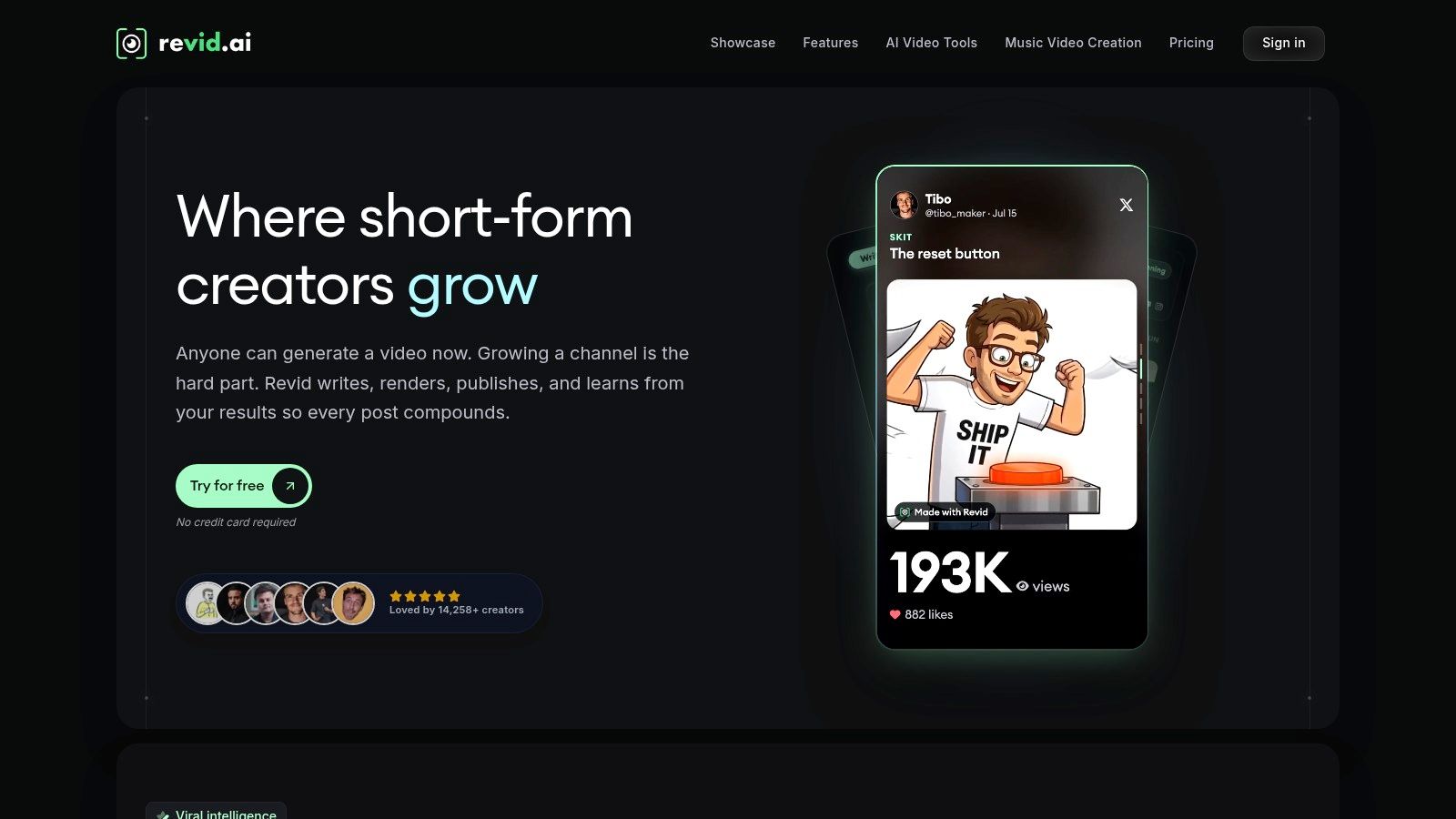
Revid.ai fits a different starting point from a traditional timeline editor. Instead of requiring finished footage and a scene-by-scene assembly process, it can help turn an idea, existing content, or a source link into a social video draft. That makes it relevant when the bottleneck is not only editing, but also deciding what to say and how to package it for TikTok, Instagram, or YouTube.
The platform supports workflows built around trend research, script generation, source transformation, and browser-based editing. A team can start with a blog post, subreddit, social account, or other content source, generate a script, and then adjust the result before publication. Its value is strongest for marketers and creators who need a repeatable path from source material to a short-form concept.
Where it solves a real workflow problem
Revid.ai can reduce the blank-page problem and the repetitive setup work around social video. It's useful when a publisher has a steady stream of written material, a marketer wants to test multiple angles from one topic, or a small team needs a browser-based process that doesn't depend on advanced editing skills.
Its practical strengths include:
- Source-to-video workflows: Existing articles, links, and social content can become starting points for scripts and video concepts.
- Trend-oriented research: Search features can help identify topics worth developing before production begins.
- Generated scripts: A structured script gives editors something concrete to review instead of forcing them to begin with a blank timeline.
- Custom editing: The generated result can still be adjusted, which matters because automated selections and wording require human approval.
- Social formatting: The workflow is designed around short-form publishing rather than long-form post-production.
The trade-off is control. Automated video creation can choose an irrelevant visual, flatten an important distinction, or produce a script that sounds generic. Revid.ai is a sensible choice when speed from source to first draft matters more than manually controlling every frame. It's less suitable when a project depends on precise cinematography, complex sound design, or highly controlled brand storytelling.
For teams comparing tools, a useful starting point is Revid.ai's short form video editor. Review the output on a phone, check every caption and visual, and treat the generated version as a production draft rather than a finished editorial decision.
Captions and Retention as Performance Levers
Captions are often added at the end, after the creative decisions have already been made. That order is backwards for short-form production. Text affects how viewers follow the opening, where they look, how much of the frame remains usable, and whether the message survives sound-off viewing.
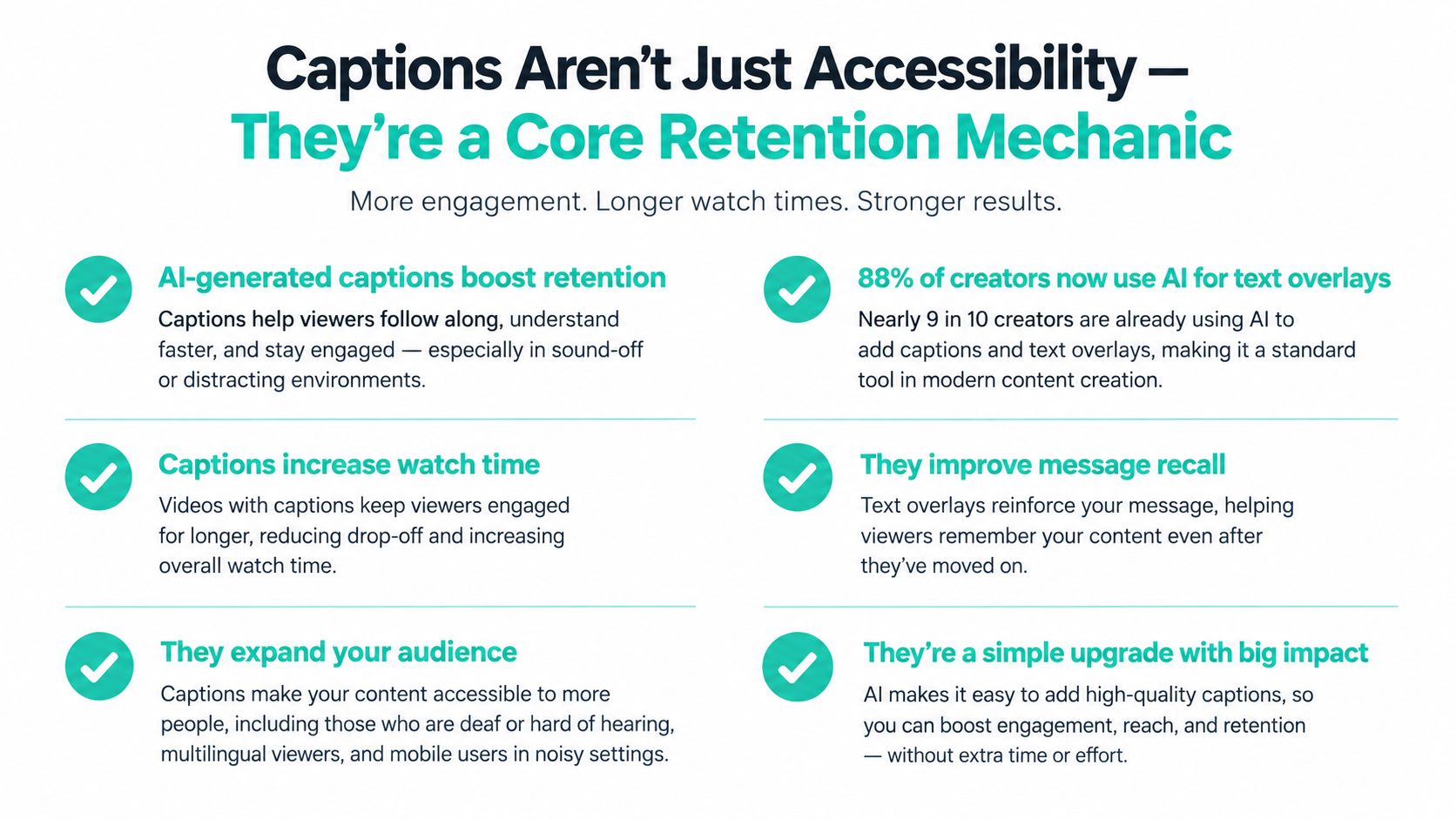
Recent coverage reports that 88% of creators use AI auto-captions and that captions can boost retention by 56%. Those figures appear in coverage of short-form video editing statistics. They should be treated as performance evidence to investigate, not as a guarantee that any automatic subtitle layer will improve every video.
The useful caption workflow
A strong caption system does more than transcribe speech. It preserves meaning, emphasizes the right words, stays inside the safe zone, and remains readable when the viewer watches on a small screen. Multilingual captioning can also help a team adapt one idea for different audiences without recreating the entire edit.
The workflow should include:
- Automatic transcription first: Use AI to create the initial text layer, then correct names, technical terms, and punctuation.
- Human review second: Watch the video while reading the captions. A transcript can be accurate word by word and still mistime the meaning.
- Text-safe placement: Keep captions away from platform controls and avoid covering the product, face, or visual proof.
- Visual hierarchy: Emphasize the words that carry the argument, not every word equally.
- Localization checks: Review translated captions for natural phrasing, line length, and timing rather than accepting direct machine translation.
A batch-optimized editor makes these checks repeatable. A deep NLE may offer more control, but it can force an editor to position, style, and revise each caption manually. That control is valuable for a hero asset. It becomes expensive when the team needs many localized variations.
Captions aren't a decorative layer. They are part of the edit's pacing, framing, and message delivery.
Test caption tools with difficult footage, not a perfectly recorded sentence. Use overlapping speakers, product names, accents, quick cuts, and moments where the speaker points to something on screen. The editor that produces a plain but accurate first pass may save more time than one that offers elaborate animation but requires extensive correction.
High-Volume Production vs Deep Editing Features
A cinematic editor and a high-volume short form video editor solve different problems. The first helps an operator refine one project with precise control. The second helps a team produce many acceptable, on-brand versions without repeating the same setup work.
Recent market coverage describes creators publishing 30+ Shorts per month at $3–4 each, while agencies are described as scaling from 4 clients per editor to 12. These figures come from coverage of the 2026 short-form video production market. They point to a business model where turnaround and repeatability can matter more than an impressive list of advanced editing functions.
Match the tool to the job
| Production need | Better fit | Why |
|---|---|---|
| One brand film with detailed sound and color work | Deep timeline editor | The operator benefits from granular control |
| Frequent talking-head clips | Batch-oriented editor | Templates, captions, and duplicate projects reduce repetitive work |
| Multiple hooks from one recording | Versioning workflow | The team needs fast trimming and structured review |
| Localized social content | Caption and asset automation | Text, framing, and exports must change without rebuilding everything |
| Product content from a catalog or feed | Source-driven workflow | The input is structured information, not only raw footage |
Browser-based editors are gaining traction because they reduce setup and make collaboration easier. That doesn't make them universally better. They're solving the problem of fast access, quick iteration, and shared production rather than replacing every desktop post-production feature.
A useful test is to count manual actions, not features. How many times does an operator import media, select a canvas, create captions, reposition text, duplicate a version, export, and rename a file? If the same sequence happens across every clip, automation around that sequence is more important than another effect or compositing option.
Decide where precision pays
Deep editing earns its place when a mistake is costly or when the visual treatment carries the brand. It helps with carefully timed interviews, narrative sequences, detailed audio edits, and projects that need frame-level adjustments.
Velocity wins when the content is topical, recurring, and built from a known structure. For merchants, publishers, and social teams, a reliable template with a fast approval path often creates more value than a powerful timeline that only one specialist can operate.
The right choice isn't “simple versus professional.” It's repeatable production versus bespoke finishing. Many teams need both, with a batch editor handling the recurring social output and a deeper tool reserved for flagship work.
How to Choose the Right Short Form Video Editor
Start with the workflow, not the sales page. Write down what enters the system, who touches it, how many variations emerge, and where the final files go. A tool that looks excellent in isolation may fail once it meets your naming conventions, approval steps, caption review, and publishing schedule.
Ask three operational questions
Can the editor handle your export volume without repeated setup?
Create a sample batch from the footage you publish. Duplicate the project, change the hook, swap the opening visual, update the call to action, and export the versions. Note which steps remain manual. A good tool makes repeated actions predictable rather than merely making the first edit feel fast.
Does it respect platform constraints by default?
Check the vertical canvas, resolution, frame rate, export format, caption position, and crop behavior. Open the result on a phone. A desktop preview can hide text that will be covered by interface elements or reveal a crop problem that only appears when the video fills the screen.
Can it connect to the rest of your content pipeline?
Look at imports, asset storage, approvals, scheduling, naming, and handoffs. If your ideas live in documents, your products live in a catalog, or your footage arrives through a shared folder, the editor should reduce those transitions. A disconnected tool creates hidden labor even when the timeline itself is efficient.
Run a controlled tool test
Use the same short clip, brief, brand assets, and output requirements in every candidate. Ask each tool to produce the same basic version, then inspect:
- The accuracy and timing of captions
- The quality of the first cut
- The ease of changing the hook
- The preservation of the subject during cropping
- The speed of preview and export
- The clarity of file naming and version control
- The number of manual actions before approval
Don't let a polished demo decide the purchase. A tool should earn its place by surviving an ordinary production day, including corrections, duplicate versions, mobile review, and a last-minute change to the opening line.
For Pinterest-specific video pin workflows, Pin Generator can create and optimize vertical pin content with templates, AI-written descriptions, and scheduling. It belongs in a broader distribution workflow rather than as a replacement for a general editor.
Building Your Weekly Short-Form Video Pipeline
A sustainable pipeline separates creative decisions from repetitive production. The team shouldn't brainstorm, shoot, edit, caption, schedule, and analyze every video in one sitting. Grouping similar tasks makes templates useful and gives reviewers a clearer standard for approval.
Monday starts with ideas and scripts
Collect questions from customers, comments, sales calls, product updates, and existing articles. Turn each idea into a clear promise for the opening. Write the spoken script and the on-screen text separately, because captions should support the audio rather than duplicate every visual element without thought.
Select the concepts that can share a format. For example, a product demonstration, a customer objection, and a quick tutorial may all use the same opening frame, caption style, and closing treatment while keeping different footage and wording.
Tuesday captures reusable source material
Shoot several versions of each opening while the setup is ready. Record clean pauses between points, alternate demonstrations, close-ups, and supporting footage. Keep the framing vertical from the start when the primary destination is a vertical platform.
A mobile-first workflow makes review immediate. Check focus, audio, exposure, and caption visibility before the shoot ends. Retaking a weak line on location costs less than discovering the problem after the rest of the batch is assembled.
Wednesday turns source footage into versions
Import the footage into a template that already contains the vertical canvas, brand treatment, caption style, and export profile. Build the strongest version first, then duplicate it for alternate hooks, openings, calls to action, or product angles.
Use GPU-accelerated previews where available, but judge the editor by the whole batch rather than by a single fast action. Review the first cut, remove filler, confirm that each visual supports the spoken point, and mark any clip that needs a manual adjustment.
Thursday handles captions and channel adaptations
Generate captions, correct them while watching the video, and check the placement on a phone. Create language variations at this stage if the audience requires them. Then adapt the crop, text position, cover frame, and end treatment for each destination instead of exporting one generic file and hoping every platform displays it well.
A documented naming system helps here. Include the topic, hook, language, platform, and approval status in the filename or project record. Teams can also use content repurposing strategies to map one source idea to several channel-specific outputs without losing track of the original message.
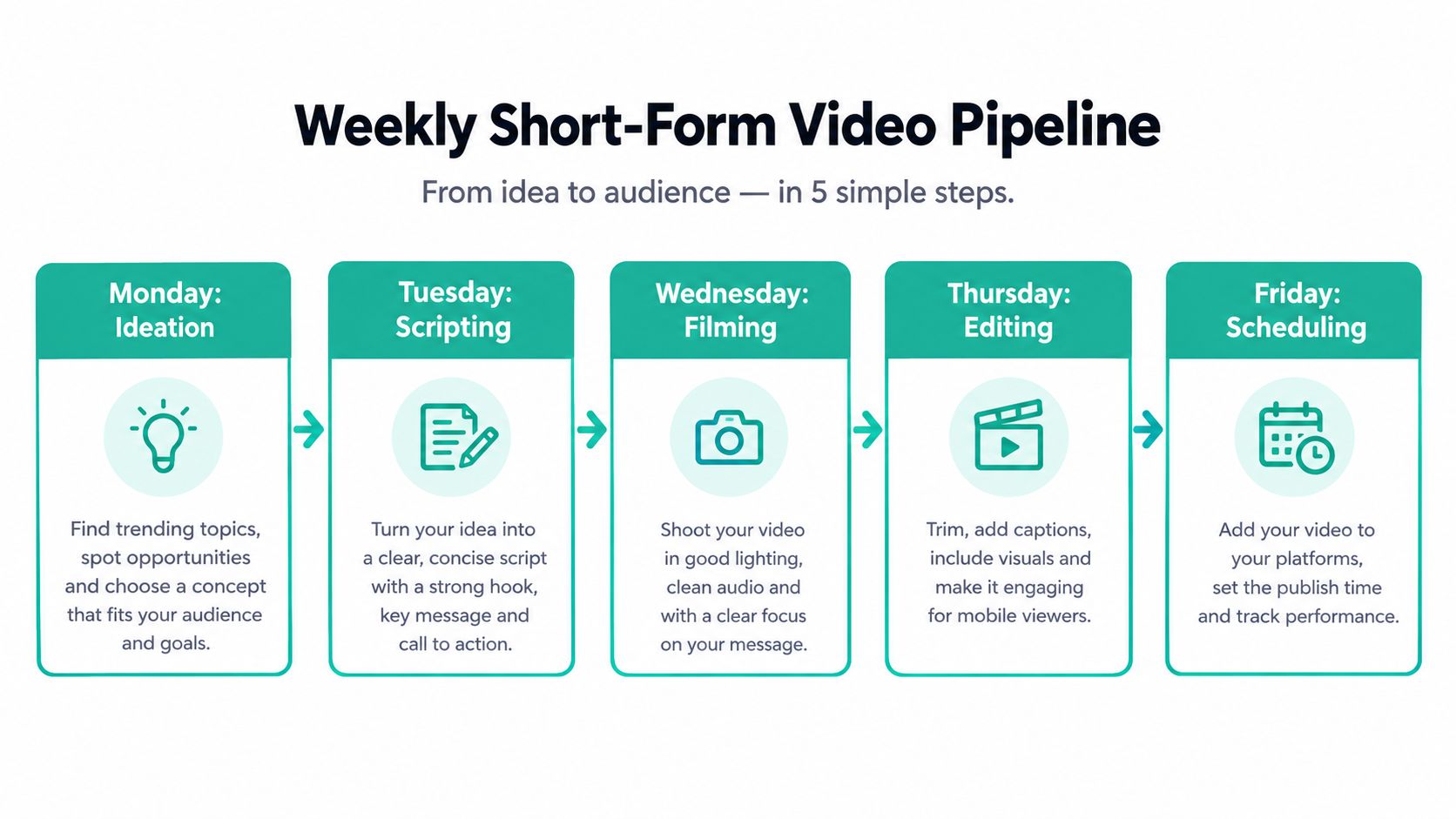
Friday schedules and reviews the system
Schedule approved versions, then review the production process as well as the published content. Identify which steps caused delays, which caption corrections appeared repeatedly, and which templates needed manual repair. Performance review should inform the next batch's hooks, pacing, and topics, but it shouldn't turn every result into a reason to abandon the workflow.

Consistency comes from reducing avoidable decisions. The best short form video editor gives your team a dependable way to move from idea to approved versions, while leaving human attention for the parts automation can't judge well, meaning, relevance, accuracy, and whether the video deserves the viewer's time.
Choose one candidate editor and run a controlled batch test this week. Use the same footage, create several platform-specific versions, review every caption on a phone, and record each manual step from import to scheduled upload. Keep the tool that reduces repetitive work without weakening your message, then turn the winning process into a reusable template for the next production cycle.