
What Are Impressions on Pinterest and Why They Matter
30 September 2026
Pinterest impressions count the number of times a Pin is rendered on a screen. Video Pins can generate 185% more impressions than static Pins, vertical 2:3 Pins can earn 45% more impressions than square Pins, and keyword-rich titles can produce 67% more impressions than untitled Pins.
That's why a creator can open Pinterest Analytics, see a surprisingly large impressions total, and still wonder why clicks and saves look comparatively modest. The numbers aren't necessarily contradicting each other. They're measuring different moments in the journey from discovery to action.
Table of Contents
- The Dashboard Moment Every Pinterest Creator Has
- What Impressions on Pinterest Actually Mean
- How Impressions Compare to Reach, Clicks, Saves, and Views
- Where to Find Impressions in Pinterest Analytics
- What Good Impressions Look Like and What Moves Them
- Practical Ways to Grow Your Pinterest Impressions
- Common Mistakes That Distort Your Impression Numbers
- Key Takeaways and Quick Answers About Pinterest Impressions
The Dashboard Moment Every Pinterest Creator Has
Maya has just published a Pin about cottagecore kitchens. The design looks good, the title includes the topic, and the link leads to a useful article. Later, she checks Pinterest Analytics and sees that the Pin has been shown thousands of times. Her saves and outbound clicks are much smaller.
Her first thought is familiar: if all those people saw the Pin, why didn't more of them do something?
The confusion comes from treating impressions as a response metric. They aren't. An impression tells Maya that Pinterest rendered her Pin somewhere in its discovery system. It doesn't tell her that someone stopped scrolling, understood the message, wanted the idea, clicked the link, or saved it for later.
Pinterest works more like a visual search engine than a simple follower feed. A Pin can appear when someone browses a home feed, searches for a topic, explores a category, or receives a related recommendation. Each appearance creates another opportunity for discovery, even when the viewer keeps scrolling.
Practical rule: Read impressions as evidence of distribution first, then use clicks and saves to judge whether that distribution reached the right people.
Once Maya makes that mental shift, the dashboard becomes less mysterious. A large impressions number can mean her topic, creative, or metadata is helping Pinterest surface the Pin. A smaller click count may mean the Pin needs a clearer promise or stronger destination. By separating visibility from response, she can improve the right part of the journey instead of declaring the whole Pin a failure.
What Impressions on Pinterest Actually Mean
A Pinterest impression is counted whenever a Pin appears on a screen. Pinterest's own analytics definition describes impressions as “the number of times your Pins or ads were on screen,” and the same Pin can create multiple impressions for the same person when it appears repeatedly. The Pinterest impressions explanation also frames the metric as a measure of exposure across discovery surfaces.
Think of a billboard beside a busy road. Every time the billboard comes into view for a passing driver, it has another opportunity to be seen. The billboard operator can count those exposures, but that count doesn't reveal how many drivers were unique, who remembered the message, or who visited the shop afterward. Pinterest impressions work in much the same way.
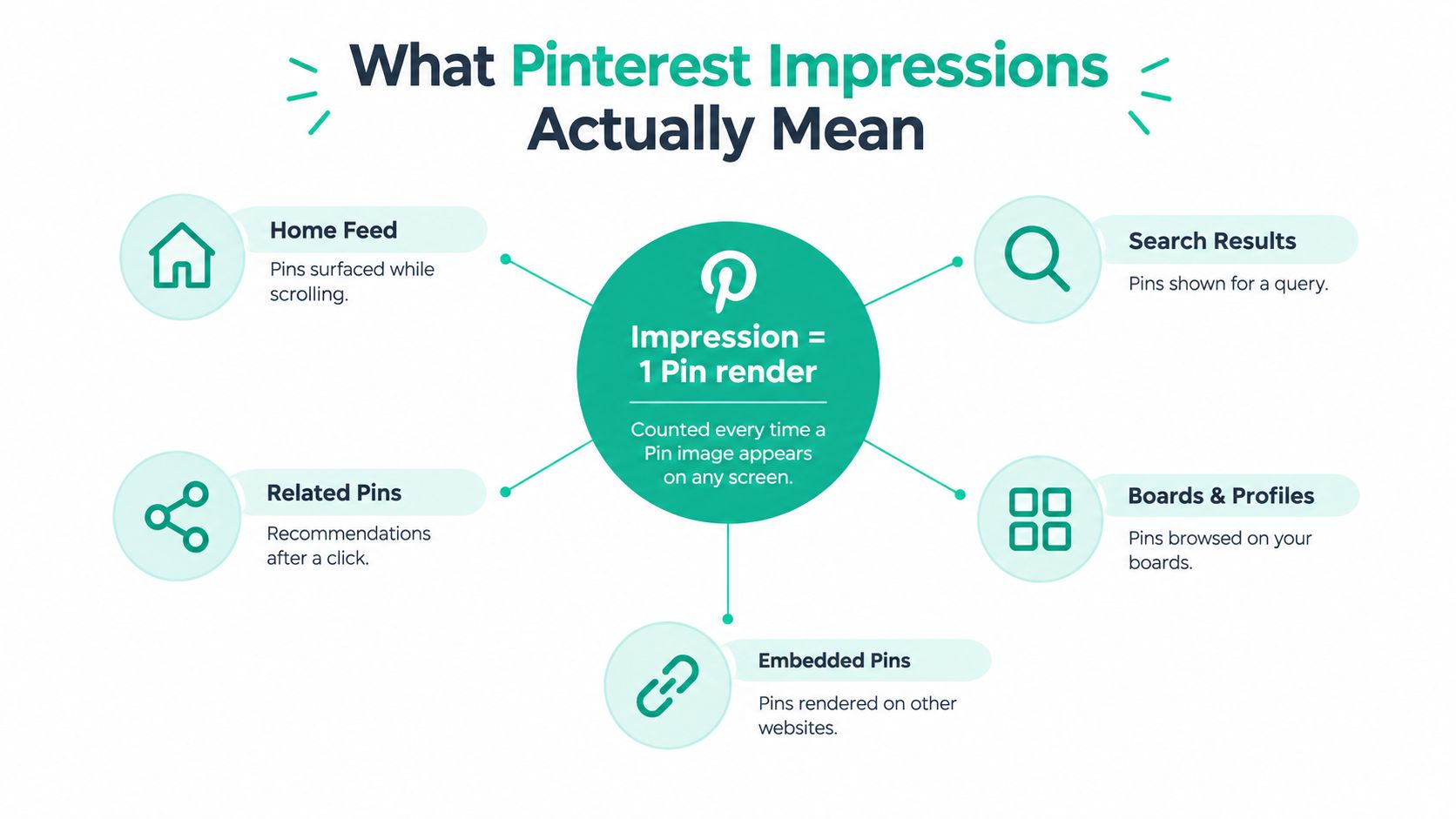
The number is cumulative exposure
If one person sees the same Pin in a feed and later encounters it again through search or a recommendation, Pinterest can count more than one impression. The metric therefore measures total rendering activity, not the size of the audience.
That distinction matters because impressions are usually larger than unique viewers. The number has no built-in “one person, one count” rule. Pinterest's business analytics documentation recommends interpreting impressions alongside other performance signals rather than treating them as a complete account of audience behavior.
An impression also doesn't require a click, save, follow, or conscious notice. The Pin only needs to be rendered on screen under the relevant reporting rules. That makes impressions valuable at the top of the funnel, where the first question is whether Pinterest is distributing your content at all.
How Impressions Compare to Reach, Clicks, Saves, and Views
Pinterest analytics becomes clearer when metrics are grouped by what they describe. Impressions and reach report exposure, while clicks and saves report actions. Views and viewers add video-specific context, so they should not be read as interchangeable with either group.
Impressions count the total times a Pin renders on screen. They can include repeated exposure to the same person, whether Pinterest places the Pin in a home feed, search result, or recommendation. Reach is closer to the number of people exposed at least once. A Pin may therefore have high impressions and smaller reach when Pinterest repeatedly serves it to an overlapping audience.
That difference connects impressions directly to Pinterest's search-and-discovery engine. A rising impression count suggests the system is distributing a Pin across available discovery surfaces. It does not show whether viewers found the content useful enough to respond.
Clicks and saves measure that response in different ways. A click moves someone toward the Pin's destination, while a save records a deliberate decision to keep or revisit the idea. A recipe, room design, or product may earn saves from people planning for later, even when those users never visit the website. Healthy impressions with few outbound clicks can point to a weak creative promise, title, destination, or call to action.
Views and viewers apply mainly to video reporting. Views describe playback or viewing activity, which may include more than one viewing event. Viewers are associated with the people connected to that activity. Neither metric should be treated as a substitute for Pin impressions, because video engagement and Pin rendering answer different questions.
Use the metrics together: impressions indicate distribution, reach shows audience breadth, and clicks or saves reveal stronger intent. Format choices can help Pinterest classify and surface a Pin, metadata can connect it with relevant searches, consistent publishing can create more discovery opportunities, and automation can keep that cadence active. Each lever supports more chances for a Pin to render, while the action metrics show whether that exposure earns a response.
Where to Find Impressions in Pinterest Analytics
Pinterest impressions generally appear in account-level Analytics, individual Pin reporting, and paid campaign reporting. Start with the account overview when you want to understand overall visibility, then inspect individual Pins to identify which topics, formats, and designs Pinterest is surfacing most often.
Use the Pinterest Analytics guide to orient yourself around the main reporting areas. Look for the impressions metric alongside clicks, saves, and other engagement signals, then apply the same date range whenever you compare periods.

Organic and paid reports need separate reading
Organic Analytics and Ads Manager don't represent identical exposure conditions. Pinterest's advertising measurement methodology says an ad impression is counted when at least one pixel of the Pin container appears on screen for at least one continuous second. That rule applies to display and video Pins in paid reporting.
This means you shouldn't casually add paid and organic impressions together and call the result your audience size. Keep the sources separate, label your date ranges, and compare like with like.
For a visual walkthrough of the analytics experience, this Pinterest analytics video can help you recognize where performance data appears in the platform.
The most useful workflow is to find a Pin with strong impressions, then inspect its saves and outbound clicks. That pairing tells you whether Pinterest is merely testing distribution or whether the content is attracting meaningful interest.
What Good Impressions Look Like and What Moves Them
There isn't one universal impressions target for every Pinterest account. A recipe publisher, an interior designer, and a small online shop may have different audiences, publishing patterns, and levels of search demand. Compare a Pin with your own recent work before comparing it with another creator's dashboard.
The available benchmark data still shows that creative choices can materially affect distribution. A 2026 Pinterest marketing benchmarks report says a typical creator or small-business account may see 200 to 500 impressions in a Pin's first 30 days, while the top 1% of Pins drive 51% of all impressions. The same report identifies format, aspect ratio, and keyword use as meaningful levers.
| Account or Pin Context | Verified Impression Reference | Useful Lever |
|---|---|---|
| Typical creator or small-business Pin | 200 to 500 impressions in the first 30 days | Improve format and metadata |
| Top-performing Pin group | Top 1% drive 51% of all impressions | Study topics and creative patterns |
| Video compared with static | 185% more impressions | Test video when it suits the idea |
| Vertical 2:3 compared with square | 45% more impressions | Use a Pinterest-friendly canvas |
| Keyword-rich title compared with untitled | 67% more impressions | Write descriptive, searchable titles |
These figures don't promise that every video or vertical Pin will outperform every static or square design. They show that Pinterest visibility responds to how clearly a Pin fits the platform's discovery environment.
Track more than raw volume. A Pin with many impressions and almost no saves or clicks may have broad exposure but weak relevance. A smaller Pin with stronger downstream actions may offer a better model for your next batch.
Practical Ways to Grow Your Pinterest Impressions
Pinterest visibility usually improves when cadence, metadata, and format support the same topic. Publishing more content won't solve unclear targeting, and polished designs won't help much if Pinterest can't interpret the subject.
Build a dependable cadence
Create a publishing rhythm you can sustain. A steady flow gives Pinterest more opportunities to understand your subjects and place individual Pins into relevant discovery contexts. It also prevents your account from vanishing for long stretches and then returning with a frantic burst of activity.
Batch related ideas around one strong article, product, or collection. Create distinct angles instead of making near-identical copies. One Pin might lead with a benefit, another with a practical question, and a third with a visual detail.
Write for search and people
Put the main topic in the title naturally. Use the description to clarify what the Pin offers, who it's for, and what someone will find after clicking. Supporting terms should add context, not turn the description into a small pile of keywords wearing a trench coat.
Review the language your audience uses in Pinterest search suggestions and related topics. Metadata helps Pinterest connect the Pin with intent, while the image and headline persuade a person to pause.
Give Pinterest more than one format
Test static and video creative when both make sense for the content. A product demonstration, recipe sequence, or room transformation may benefit from motion, while a concise checklist may communicate better as a static Pin.
Automation can handle repetitive production tasks, including generating multiple design variations, writing metadata from a source URL, selecting boards, and scheduling recurring publishing. Use it to protect consistency, not to flood Pinterest with low-value duplicates. After each batch, compare impression trends with saves and clicks before expanding the process.
For a deeper look at search-focused planning, explore this Pinterest SEO guide.
Common Mistakes That Distort Your Impression Numbers
The biggest mistake is assuming every impressions total uses the same denominator. Organic and paid impressions follow different reporting contexts, so combining them can make a campaign look larger without revealing whether organic discovery improved.
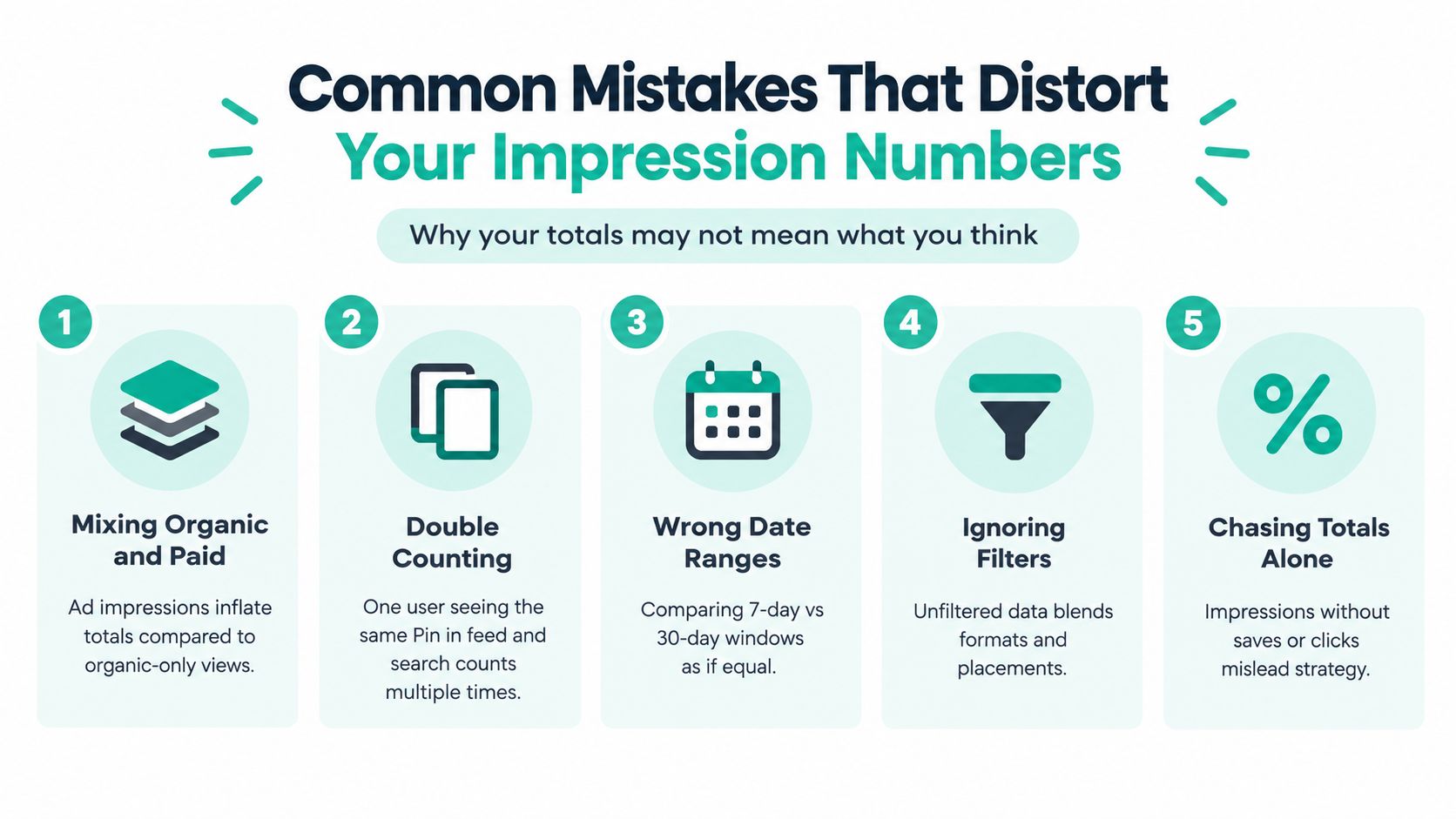
Watch for these distortions when reviewing your dashboard:
- Mixing organic and paid: Keep advertising exposure separate from unpaid distribution so each total answers a clear question.
- Counting repeats as people: One user can generate several impressions, so a large total doesn't equal a large unique audience.
- Comparing unequal date ranges: A short window and a longer window can produce very different totals even when performance is stable.
- Ignoring the surrounding metrics: Impressions without saves, clicks, or reach can't tell you whether the content reached the right audience.
- Chasing volume alone: A Pin that earns broad exposure but no meaningful response may need a sharper topic or stronger promise.
Another trap is changing the creative and judging the result too quickly. Pinterest discovery can vary by topic and timing, so compare similar Pins over consistent periods rather than reacting to one unusually high or low day.
The Pinterest Pin Stats documentation is useful when you need to distinguish raw on-screen exposure from engagement. Audit your recent reporting with that distinction in mind. Ask whether distribution changed, whether unique exposure changed, and whether people took the action your business requires.
Key Takeaways and Quick Answers About Pinterest Impressions
Five ideas will keep your reporting grounded:
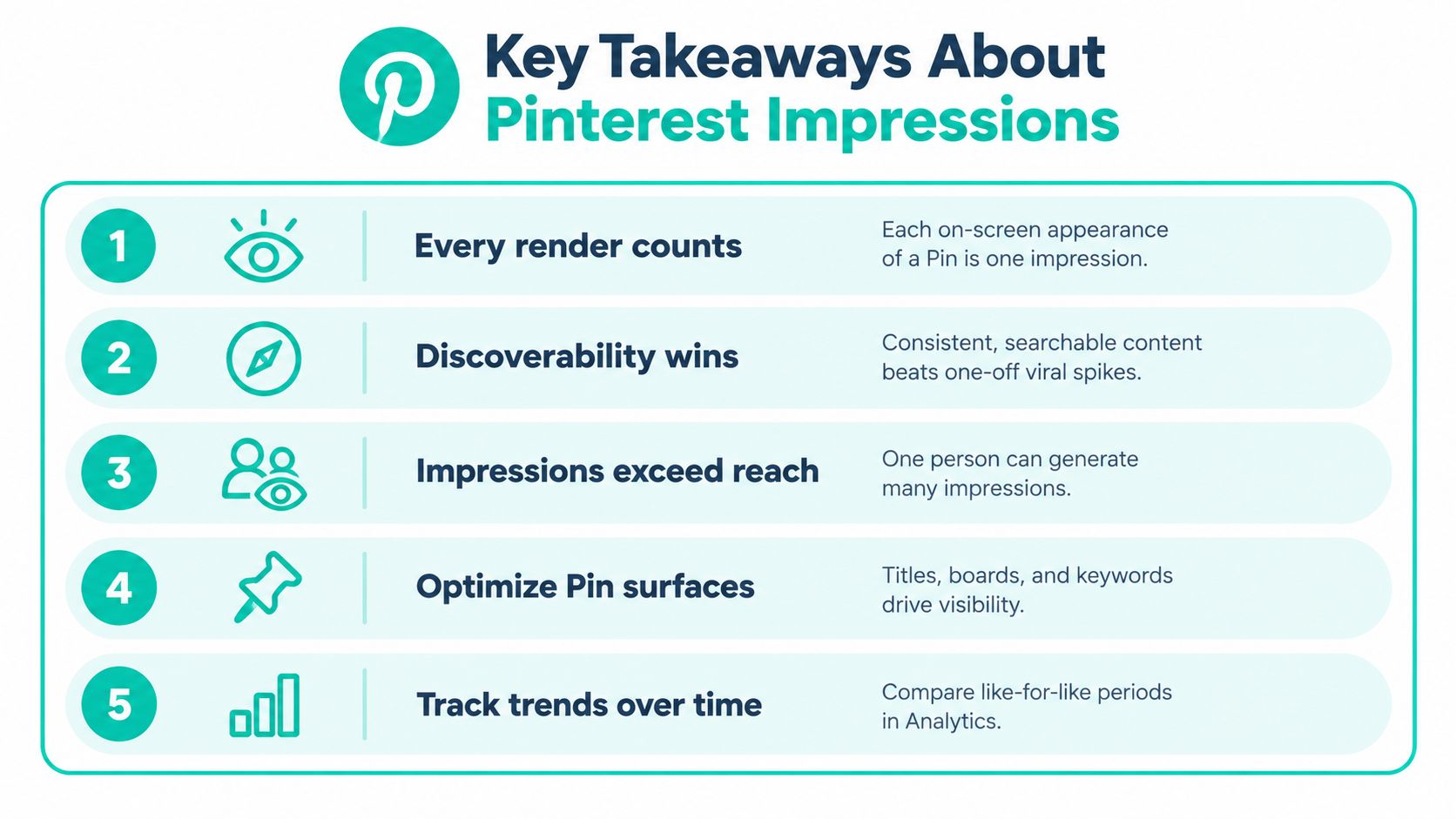
- Every render counts. An impression records an on-screen appearance, not a click or save.
- Discoverability comes first. Impressions show that Pinterest is distributing a Pin through its discovery system.
- Impressions can exceed reach. Repeated exposure means one person may contribute multiple impressions.
- Organic and paid reports differ. Paid advertising uses its own visibility methodology.
- Format and metadata matter. Verified benchmark data connects stronger impression performance with video, vertical 2:3 creative, and keyword-rich titles.
Quick answers
Does a Pin need a click to earn an impression? No. It only needs to be rendered on screen under the applicable reporting rule.
Are impressions the same as repins or saves? No. Impressions measure exposure. Saves measure a deliberate bookmarking or repinning action.
Why can two similar Pins have different impression totals? Pinterest may distribute them through different discovery contexts, and their format, wording, topic fit, or timing may differ.
Do high impressions guarantee success? No. High visibility can exist without strong relevance, clicks, or saves.
How quickly do impression totals update? Reporting availability can vary by analytics environment. Use consistent date ranges and allow the platform's data to settle before making a major strategic decision.
Let an automation tool handle repetitive design, metadata, and scheduling work while you focus on the ideas and visual direction that deserve attention.
Pin Generator can create on-brand Pin designs, titles, descriptions, and alt text from your content sources, then schedule publishing at a recurring cadence. If you want a more consistent way to test the format and metadata choices that influence impressions, visit Pin Generator and build your next batch from one of your strongest posts or products.