How to apply affiliate links to generated pins.
Is there any way to rewrite the links provided from the auto-detection tools in Pin Generator so that the URLs carry affiliate codes?
You can rewrite the links provided by the auto-detection tools by following these steps.
For all generated pins:
- Create the Pins using the URL or CSV file as usual
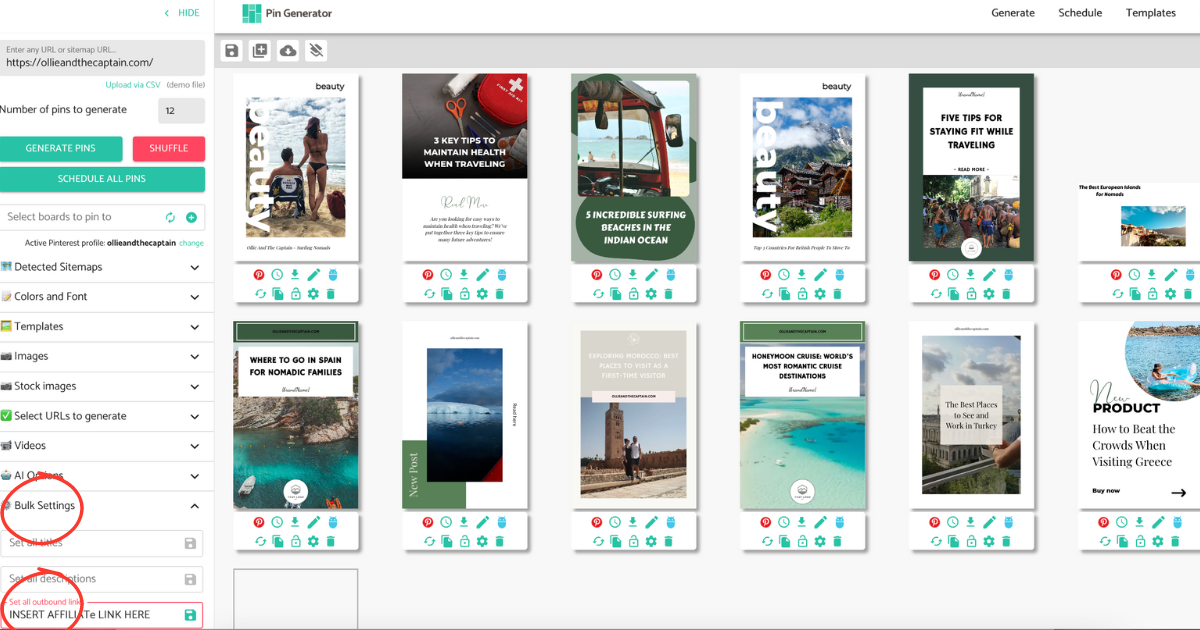
- Select Bulk Settings from the left-hand menu
- Apply your affiliate link in the Set all outbound links field
For select pins:
- Create the Pins using the URL or CSV file as usual
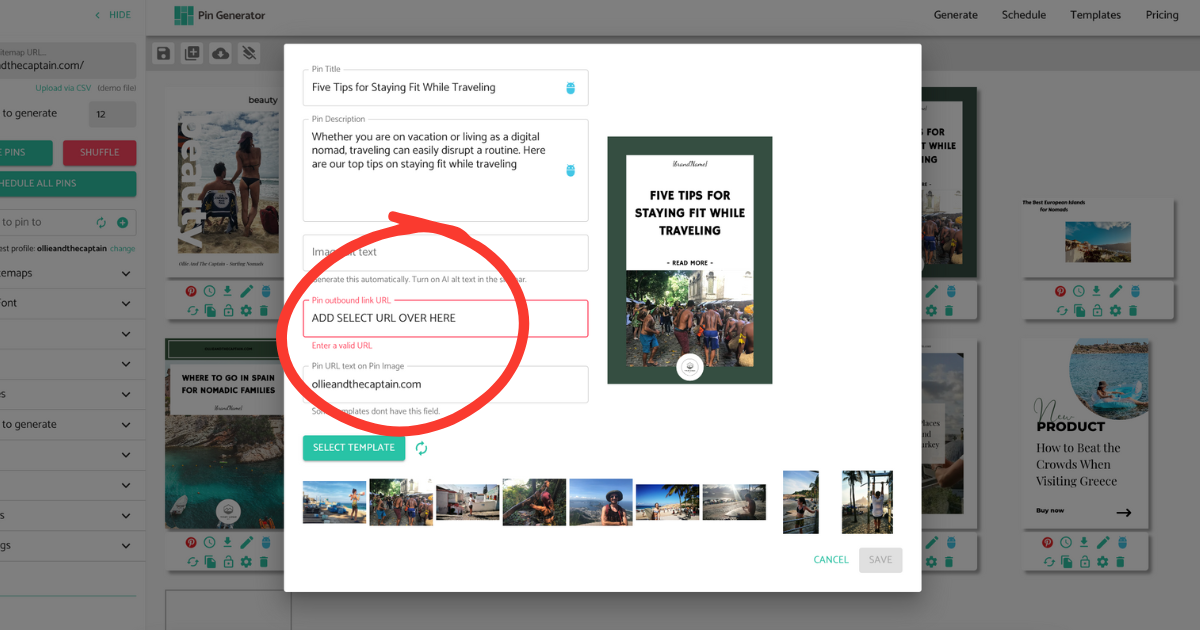
- Select the edit icon underneath the select pin (pencil)
- Apply your affiliate link in the Pin outbound link URL field