
How to Create Pinterest Pins with AI
9 October 2025
Of course you can create Pinterest pins with AI. In fact, it’s one of the smartest ways to work with the platform’s algorithm instead of fighting against it. Tools like Pin Generator can take hours of tedious manual design work and shrink it down to just a few minutes of focused, strategic creation.
That’s how you really scale your presence on Pinterest.
Why AI Is Reinventing Pinterest Marketing
Pinterest isn’t just a digital mood board anymore; it's a powerful visual discovery engine that runs on artificial intelligence. This shift has completely changed what it takes to get real traction on the platform.
Your goal is simple: create content that speaks the language of Pinterest’s algorithm. And these days, that language is AI.
The platform uses machine learning to understand every single element within an image, connecting it to what users are searching for. It's why your feed feels so spookily relevant sometimes.
Just how smart is it? Pinterest’s AI can now detect over 5,000 different fashion and home decor attributes in images alone. It's a testament to its incredible analytical power.
This isn't just a background feature, either. A whopping 60% of homepage content is personalized by machine learning, which is a big reason engagement rates are so high—users find exactly what they’re looking for.
Aligning Your Strategy with Pinterest's AI
If you want your pins to get noticed, you have to optimize them for this system. But manually creating dozens of visually distinct, keyword-rich pins is a massive undertaking. This is where using AI to create your pins becomes a huge strategic advantage.
Here’s what it really lets you do:
- Produce Volume and Variety: You can generate countless pin variations from a single blog post or product link. This is absolutely critical for testing what your audience actually responds to.
- Optimize Text at Scale: AI can instantly draft compelling, keyword-focused titles and descriptions that match what people are actively searching for. No more guesswork.
- Maintain Brand Consistency: Forget generic-looking pins. Good AI tools use your brand’s own templates, fonts, and colors, ensuring every pin looks authentic and professional.
By automating the repetitive parts of pin creation, you free up your time to focus on what really matters—analyzing performance, digging into trends, and actually engaging with your community.
To get a better sense of how AI is changing the game across the board, it’s worth reading up on AI's revolution in e-commerce. The same ideas about personalization and efficiency apply directly to making your Pinterest efforts more effective and way less time-consuming.
Choosing the Right AI Pin Generator
Alright, let's get into the heart of it. Picking the right tool is the absolute bedrock of your entire AI-powered Pinterest strategy. It's easy to get overwhelmed by options, but not all generators are built the same. Honestly, the best ones go way beyond just slapping some text on a stock photo.
You need a tool that actually gets Pinterest. One that understands its unique ecosystem. Remember, the goal isn't just to make pins faster; it's to make better pins that the algorithm loves and shows to more people. This means finding a platform with smart features built for both efficiency and optimization.
Core Features to Look For
So, what should you be looking for? The most effective AI pin generators I've used all share a few non-negotiable features.
First up is the ability to create pins in bulk from a single URL. This is a game-changer. Imagine turning one of your blog posts into 20 distinct pin variations in a matter of minutes—that's the level of efficiency you should be aiming for.
Next, you need intelligent text and design capabilities. The AI should be smart enough to scan your content and pull out key concepts to suggest compelling, keyword-rich titles and descriptions. Just as important is deep brand customization. You have to be able to upload your own fonts, logos, and color palettes to keep everything looking cohesive and on-brand.
This infographic really nails down the essential process for picking a tool to create your Pinterest pins with AI.
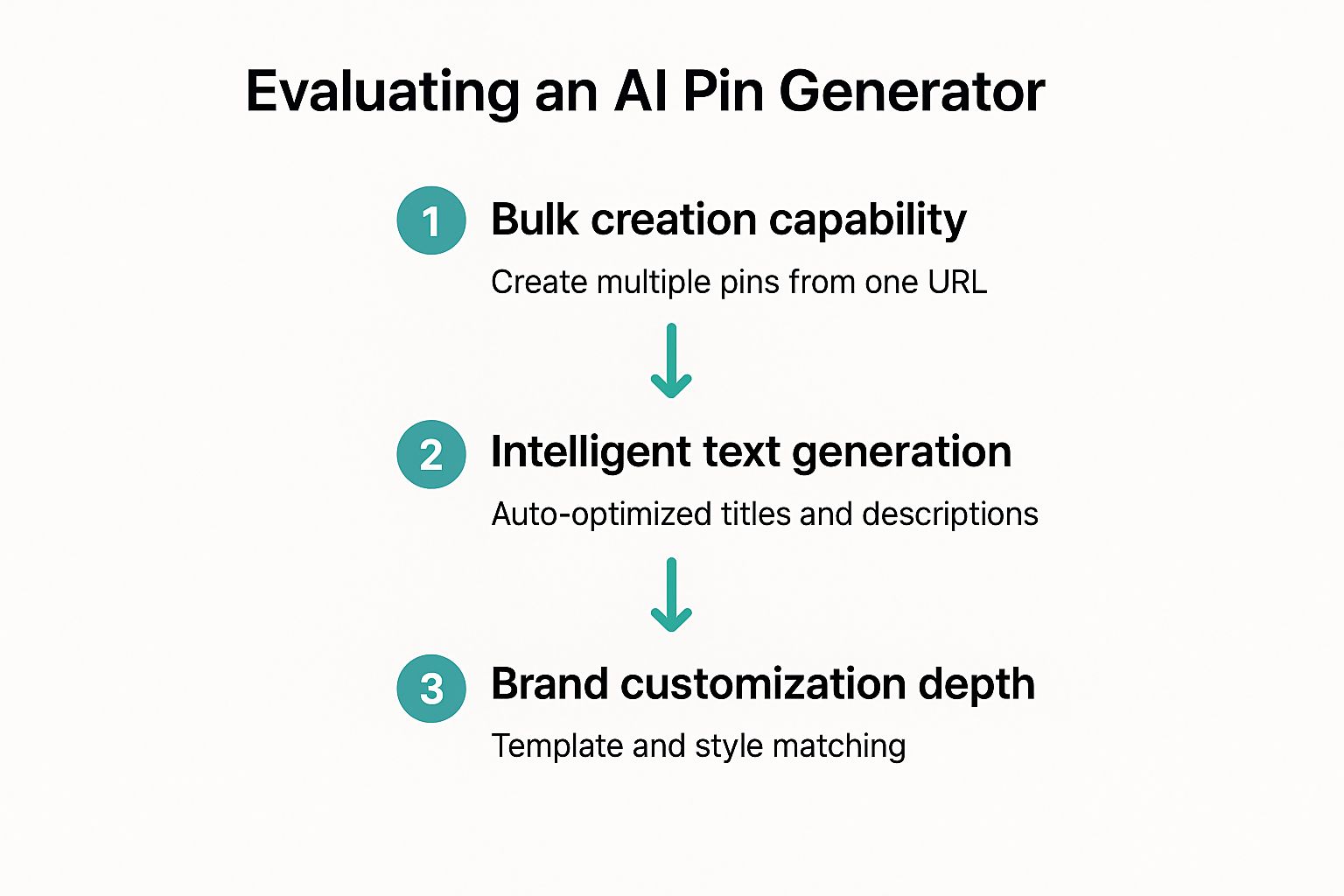
As the flow shows, your final decision really boils down to three things: efficiency, intelligence, and brand alignment. As you're looking at different options, it's a good idea to explore various AI content creation tools, because many of them have features that can be adapted for making really effective and eye-catching pins.
The ultimate test is simple: Does this tool save you time without sacrificing quality? If you find yourself constantly fighting with clunky templates or rewriting every single piece of text the AI suggests, it's not the right fit for scaling up your Pinterest strategy.
Getting Into the Flow: A Practical AI Pin Workflow
Alright, let's get down to brass tacks. The real magic when you create Pinterest pins with AI isn't just about saving a few minutes; it's about turning one piece of content into a dozen unique, traffic-driving assets. Forget a boring list of steps. Let's walk through how this actually plays out with a real-world example.
Imagine you just hit "publish" on a killer travel guide: "The Ultimate 3-Day Itinerary for Visiting Rome." Your goal is to get 15 distinct, eye-catching pins driving traffic back to that post. This is exactly where a tool like Pin Generator comes in, ready to turn that single URL into a mini-campaign.
All you do is paste your blog post URL into the generator. From there, the AI digs in, scanning your entire article to figure out the core ideas, key takeaways, and what images you used. This isn't just a surface-level scan; it’s building the foundation for everything that comes next.
Directing the AI and Making the Pins Your Own
Once the AI chews on your content, it doesn’t just throw random designs at you. It starts suggesting a bunch of different text snippets and image pairings based on your guide.
For our Rome itinerary, it might pull out some great, click-worthy hooks like:
- "Must-See Sights in Rome"
- "Colosseum Tips You Can't Miss"
- "What to Pack for a Trip to Italy"
- "The Best Gelato Near the Trevi Fountain"
This is where you step in as the creative director. Your job is to sift through these AI-generated ideas, pick the strongest ones, and ditch anything that feels a bit off. Then, you can match these text overlays with different images—either from your post or the tool's built-in stock library.
From there, it’s time to apply your branding. With pre-saved templates, you can apply your brand’s specific fonts, colors, and logo to the entire batch of pins with a single click. This is how you pump out a high volume of content without it ever looking generic or off-brand. The AI handles the grunt work, leaving you to make the final strategic calls.
The smartest workflow isn't about letting the AI do everything. It's a partnership. The AI handles the heavy lifting—like pulling out text and applying designs—while you provide the final human touch and strategic green light.
Finally, the AI whips up multiple title and description options for each pin, already optimized with keywords it found in your article. You might get a title like "Rome Travel Guide: Your Perfect 3-Day Itinerary" paired with a description packed with terms like "ancient Rome," "travel tips," and "what to see in Rome." Think of all the time you just saved on keyword research and copywriting!
After a quick review and maybe a few small tweaks, you’re ready. You can generate and schedule all 15 unique pins straight to your Pinterest boards. What used to be an hours-long slog in Canva—endless copying, pasting, resizing, and rewriting—is now a focused, 15-minute task.
To make this process even clearer, here’s a quick breakdown of how you and the AI work together.
A Quick Look at the AI Pin Generation Process
This table sums up the back-and-forth between your input and the AI's output, showing how you get from a single URL to a full-blown Pinterest campaign.
| Your Action | What the AI Does | The Final Result |
|---|---|---|
| Paste your blog post URL into the tool. | Scans and analyzes the entire article for keywords, topics, and images. | The AI has a deep understanding of your content. |
| Review AI-suggested text overlays. | Pulls out dozens of potential pin titles and text hooks. | You've selected the most compelling angles for your pins. |
| Apply your pre-made brand templates. | Instantly applies your brand fonts, colors, and logo across all pins. | A batch of 15+ on-brand, ready-to-go pin designs. |
| Give the final approval for titles and descriptions. | Generates multiple SEO-optimized titles and descriptions for each pin. | Each pin is ready to be discovered in Pinterest search. |
| Click "Schedule." | Adds all 15 pins to your Pinterest queue based on your settings. | Consistent content going out without any manual scheduling. |
This simple, repeatable workflow is what truly allows you to scale your Pinterest presence without burning out. It’s all about working smarter, not harder.
How to Optimize Your AI-Generated Pins
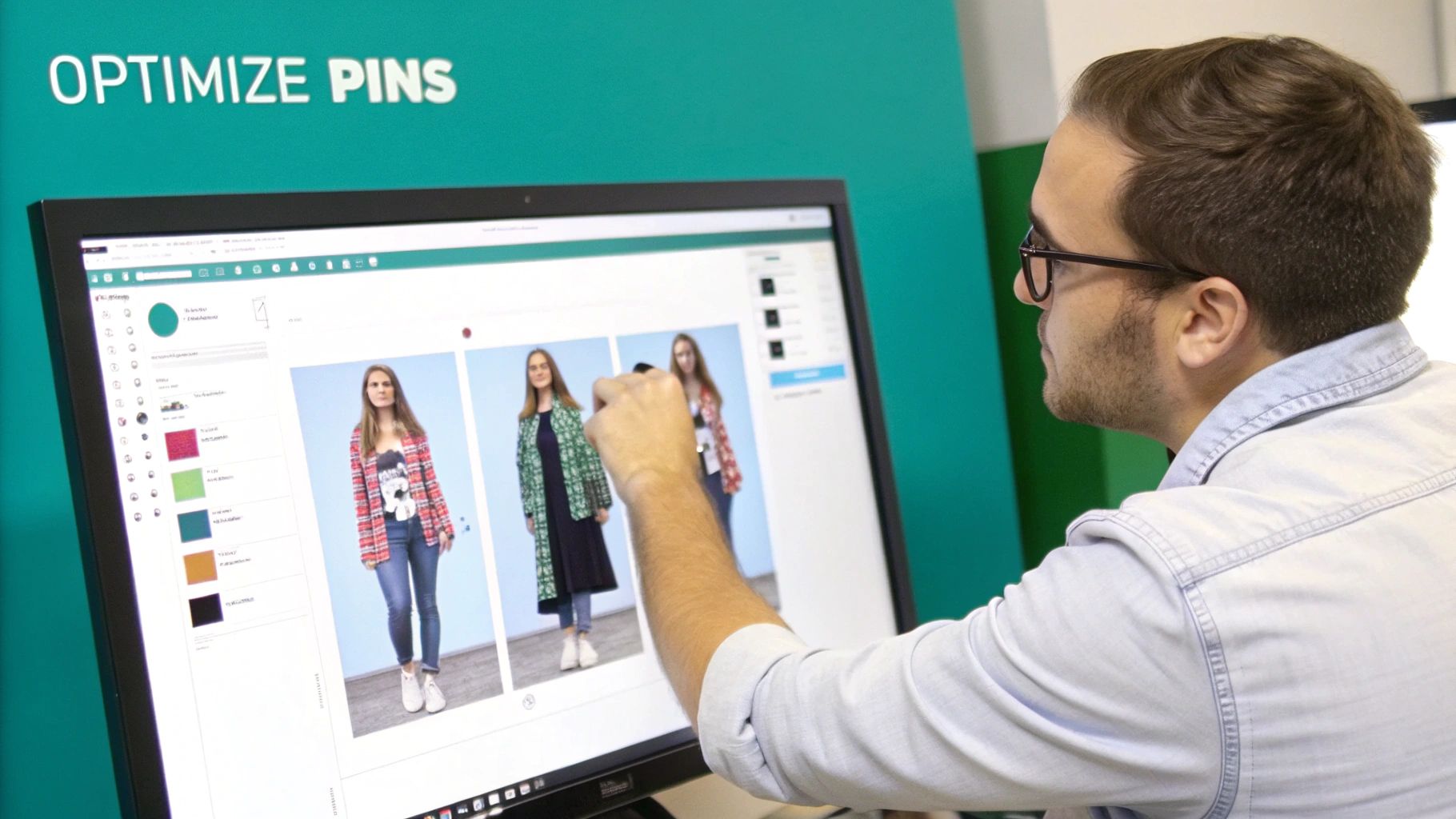
Hitting "generate" in your AI tool feels great, but let's be real—it's not the finish line. Those AI-created pins are just raw materials. The real magic, the part that drives actual traffic, happens in the optimization.
Think of it this way: the AI is your super-efficient assistant who builds the car, but you're still the one behind the wheel, fine-tuning the engine and mapping out the destination.
The first, and honestly most critical, tweak you need to make is to the AI-generated text. While the titles and descriptions are often a solid starting point, they're missing your strategic human touch. This is your moment to inject high-intent keywords you've personally researched. I’m a huge fan of using Pinterest Trends for this—it tells you exactly what your audience is searching for right now.
For example, an AI might spit out a generic title like "Easy Weeknight Dinner." A quick look at Pinterest Trends could help you sharpen that to "Quick 30-Minute Chicken Recipes," a far more specific and searchable phrase people are actually using.
Refine Your Visuals and Calls to Action
Once your text is dialed in, it's time to focus on visual variety and clear directions for your audience. A huge mistake I see people make is relying on a single pin design for a blog post or product. Don't do it.
The whole point of using AI is that you can effortlessly create pinterest pins with ai in a bunch of different styles. You have to test different images, color schemes, and layouts to see what actually resonates with people.
- A/B Test Your Images: Play around with a mix of stock photos, your own product shots, and custom graphics. You'll often be surprised by what catches a user's eye.
- Vary Your Pin Dimensions: While the standard 2:3 ratio is still king, trying out different sizes can really help you stand out in a crowded feed. We've got a whole guide on the latest Pinterest pin dimensions to make sure you're up to date.
- Strengthen Your CTA: Every single pin needs a clear and compelling call-to-action (CTA). Ditch the vague "Click here" and use action-oriented language like "Get the Recipe" or "Shop the Look."
A pin without a clear purpose is just a pretty picture. Your goal is to guide the user from discovery to action, and a strong CTA is the bridge that gets them there.
This level of detailed optimization is becoming non-negotiable as Pinterest's own AI gets smarter. For instance, the platform's 'shop the look' feature has boosted click-through rates by a whopping 17% just by automatically identifying products in an image.
This tells us the algorithm rewards content that is visually clear and commercially valuable—something you can directly influence with these tweaks. Globally, Pinterest drives 33% more referral traffic to stores than Facebook, making every bit of this optimization effort worth it. You can dig into more stats about Pinterest's e-commerce power on thunderbit.com.
Common Mistakes to Avoid
Jumping into AI for Pinterest feels like you've found the ultimate shortcut, right? But I’ve seen a few common missteps that can quickly kill your momentum. The biggest one? Trusting the AI tool’s default settings and templates way too much.
This is the fastest way to make your pins look completely generic, blending into the sea of other pins.
Think of the AI as your assistant, not your creative director. You've still got to inject your brand's unique personality into every pin. That means always using your own fonts, your specific color palette, and your logo. A pin that doesn't scream you is a massive missed opportunity.
Another slip-up I see all the time is just accepting whatever text the AI spits out. While it's a fantastic starting point, you absolutely have to refine it. Your job is to weave in your own specific, high-intent keywords and tweak the tone until it sounds exactly like your brand.
Don’t Forget the Human on the Other Side
It's so easy to get wrapped up in the magic of automation and forget there's a real person scrolling through their feed. Just churning out pins isn't the goal; you have to think about what that person needs and what you want them to do next.
A couple of the most overlooked mistakes include:
- No Clear Call-to-Action (CTA): Your pin has to tell people what to do! Something as simple as "Learn More" or "Shop Now" can make a world of difference for your click-through rates.
- Ignoring Your Analytics: Please don't just "set it and forget it." You've got to dive into your stats and see which AI-generated designs, headlines, and descriptions are actually working. Without that feedback loop, you're just throwing spaghetti at the wall.
When you create Pinterest pins with AI, the goal isn’t to remove yourself from the process. It’s to automate the tedious bits so you can spend more time on what really matters: strategy, analysis, and making a genuine connection with your audience. Avoid these pitfalls, and you'll build a much more effective and sustainable presence on Pinterest.
Scaling Your Strategy Beyond Single Pins
Nailing the art of creating a single, perfect pin with AI is a great start. But the real magic—and the real growth—happens when you stop thinking pin by pin and start building a scalable content engine that works for you 24/7.
This is where AI truly flexes its muscles. Forget about spending an entire afternoon just to get a week's worth of content ready. Instead, you can batch-create an entire month's worth of pins in one focused power session. This kind of consistent output is exactly what the Pinterest algorithm loves to see.
Building a High-Volume Content System
The key to scaling up is to stop treating your content as a one-and-done deal. Every blog post, every product page, every video you've ever made is a goldmine just waiting to be repurposed into dozens of fresh pin campaigns.
That top-performing blog post from last year? It’s not old news. It's the perfect candidate for a new batch of AI-generated pins with updated visuals and catchy new headlines.
This approach helps you build a strategic, high-volume presence that consistently pulls in a new audience. Here’s a simple system I've seen work time and again:
- Find Your Winners: Dive into your website analytics and pinpoint your most popular blog posts or products. These are your proven performers.
- Go All-In on Batching: Dedicate one session to turning a single piece of that top content into 15-20 unique pin variations using your AI tool. Play with different text overlays, images, and angles.
- Analyze and Double Down: Let AI insights show you which visual styles are driving the most traffic. Ditch what's not working and pour your energy into what is.
Moving from a pin-by-pin approach to a campaign-based strategy is the difference between simply being on Pinterest and actually growing with it. It's about creating a sustainable workflow that delivers results without burning you out.
Of course, a high-volume strategy makes scheduling a non-negotiable part of your process. Once you create Pinterest pins with AI, loading them into a scheduler ensures a steady stream of content is hitting your audience at all the right times.
If you want to get this part just right, we've put together a complete guide on how to effectively schedule Pinterest posts to maximize your reach and engagement.
Common Questions About AI Pin Creation
Whenever you bring a new tool into your workflow, there are always a few questions. Jumping into AI for Pinterest is no different. Let’s tackle some of the most common worries I hear from creators so you can move forward with confidence.
Can AI Actually Create Pins That Look Unique and On-Brand?
Yes, without a doubt. The best AI pin generators are built with deep customization in mind. You’re not just stuck with a handful of generic, cookie-cutter templates that make your content look like everyone else's.
Good tools let you upload your own brand’s fonts, logos, and specific color palettes. The AI isn't the creative director here—you are. Think of it as an incredibly efficient assistant that handles the tedious stuff, like pulling images and suggesting text, while you give the final approval. You make sure every single pin perfectly reflects your brand's unique style.
The whole point of AI isn't to replace your creativity; it's to amplify it. By automating the grunt work of design, you get to focus on the high-level strategy that actually moves the needle on your account.
Should I Create One Perfect Pin or Many Good Pins?
On Pinterest, the algorithm heavily rewards consistency and fresh content. Because of this, an AI-powered "many good pins" strategy is almost always the winner for growth.
Think about it. Instead of sinking an hour into crafting a single pin that might totally flop, you could spend 15 minutes generating 10-20 different variations. This approach lets you test different images, headlines, and calls-to-action to see what your audience actually responds to. It’s a much more data-driven (and successful) strategy for the long haul.
Will Using AI Make My Account Feel Less Authentic?
Not if you do it right. Authenticity comes from the value you provide and your unique perspective—not from manually dragging every little design element into place. The key is using AI to enhance your workflow, not to replace your voice.
Use AI to automate the design process. This frees you up for the stuff that really matters, like digging into keyword research, analyzing trends, and actually talking to your community in the comments. By simply refining the AI's suggestions to match your brand’s specific tone, you keep your authenticity completely intact while dramatically speeding up your output.
Ready to stop spending hours designing pins by hand and start scaling your Pinterest strategy the smart way? With Pin Generator, you can turn any URL into dozens of on-brand, optimized pins in just minutes. Try Pin Generator for free and see how fast you can grow.