
How Automated Posting Works
25 August 2026
Automated posting sounds like a tiny robot in a social media hoodie smashing “publish” while you sleep. Cute image. Slightly inaccurate. In reality, how automated posting works is much more practical: you create or import content, place it into a schedule or queue, define rules for timing and destinations, and let software publish it through approved platform integrations. No caffeine. No panic-posting at 11:58 p.m. No “oops, I forgot Pinterest exists this week.”
For businesses, bloggers, e-commerce sellers, agencies, and anyone who has ever whispered “I should post more consistently” into the void, automated posting is the difference between having a real content system and relying on heroic bursts of motivation. Spoiler: motivation is a terrible operations manager. It takes long lunches and disappears during holidays.
In this guide, we’ll break down how automated posting works from the inside out: scheduling logic, content queues, timing strategies, approval workflows, platform APIs, troubleshooting, and how tools like PinGenerator help Pinterest marketers turn a pile of URLs, products, or blog posts into scheduled pins without losing an entire afternoon to repetitive clicking.
What Automated Posting Actually Means, Minus the Wizard Hat
Automated posting is the process of preparing content in advance and using software to publish it automatically at selected times. The content might be a Pinterest pin, Instagram post, LinkedIn update, Facebook post, TikTok video, tweet, YouTube community post, or blog promotion. The point is simple: instead of manually logging in and posting one item at a time, you build a system that handles publishing for you.
Most automated posting systems follow the same basic structure:
- Content creation: You create posts, graphics, captions, titles, descriptions, hashtags, links, or videos.
- Content storage: Those posts are saved inside a dashboard, library, queue, calendar, or campaign.
- Scheduling rules: You choose when, where, and how often content should be published.
- Platform connection: The tool connects to social networks using APIs or approved integrations.
- Publishing: At the scheduled time, the tool sends the post to the selected platform.
- Reporting: You review performance and adjust your future schedule.
That’s the clean version. Under the hood, there are permissions, rate limits, media processing, time zones, queue priorities, failed-post retries, and other tiny gremlins. But conceptually, automated posting is just pre-planned publishing with rules.
According to Hootsuite’s social media statistics, billions of people use social platforms worldwide, and brands are expected to show up consistently across channels. That consistency is exactly where automation helps. Humans are excellent at strategy, creativity, and occasionally making suspiciously strong coffee. Software is excellent at posting at 7:15 a.m. every Tuesday without complaining.
How Automated Posting Works: The Core Workflow
Let’s walk through the actual workflow. Whether you’re using a general social media scheduler or a Pinterest-specific tool like PinGenerator, automated posting usually moves through five key stages.
1. You Add Content to the System
First, you need content. This can happen manually or automatically. You might write captions one by one, upload images, paste URLs, import products from an e-commerce store, or connect an RSS feed that detects new blog posts.
In PinGenerator, for example, you can paste a blog post URL, connect a Shopify, Etsy, or WooCommerce store, upload a CSV, or use an RSS feed. The platform pulls in images, titles, descriptions, and product details, then helps turn that raw material into Pinterest-ready pins. This matters because Pinterest success often depends on volume and freshness, not just one lonely pin wandering into the feed like it forgot its lunchbox.
If you want a deeper Pinterest-specific look at AI-assisted creation, this guide to AI automated pin generation explains how design, copywriting, and publishing can work together in one streamlined system.
2. You Organize Posts Into a Queue or Calendar
Once content exists, it needs somewhere to live before it goes public. Most tools use either a calendar model, a queue model, or both.
- Calendar scheduling: You assign each post to an exact date and time, like “Monday at 9:00 a.m.”
- Queue scheduling: You create posting slots, and content is published in order as slots become available.
- Campaign scheduling: You group posts around a launch, promotion, season, or content theme.
Calendar scheduling gives you precision. Queue scheduling gives you speed. Campaign scheduling gives you sanity when you are juggling Black Friday, a new blog series, and that one client who says “make it pop” but refuses to define pop.
3. You Set Rules for Timing and Destination
The scheduling engine needs instructions. These can include:
- Which platform to post to
- Which board, page, account, or profile should receive the post
- What date and time the post should publish
- Whether the post should repeat
- How much spacing is required between similar posts
- Whether posts should be randomized, shuffled, or published in sequence
For Pinterest, destination rules are especially important because pins often need to go to relevant boards. A recipe pin belongs on a recipes board, not “Bathroom Renovation Ideas,” unless your lasagna has gone terribly wrong.
4. The Tool Publishes Through an API
Most reputable posting tools publish through official platform APIs. API stands for Application Programming Interface, which is a fancy way of saying “approved communication pipe between software systems.” When you connect your Pinterest account to a tool like PinGenerator, you grant permission for the tool to publish on your behalf according to the permissions Pinterest allows.
Official API-based posting is important because it’s safer and more reliable than sketchy browser hacks or unofficial workarounds. Platforms can restrict what tools are allowed to do, how often they can post, what media formats they accept, and how authentication works. That’s why approved integrations matter. They are the difference between automation and digital raccoon behavior.
For broader context on publishing workflows and social media management, Buffer’s guide to social media automation gives a helpful overview of common automation use cases and best practices.
5. You Review Performance and Improve
Automation is not “set it and forget it forever.” It is “set it, monitor it, improve it, and maybe stop posting that one graphic with the weirdly aggressive font.” After posts go live, you review metrics such as impressions, saves, clicks, engagement, conversion rate, and follower growth.
Then you adjust your schedule, templates, captions, keywords, and content mix. This feedback loop is what turns automated posting from a convenience into a growth engine.
Scheduling Logic: The Tiny Traffic Controller Behind the Curtain
Scheduling logic is the brain of automated posting. It decides what goes out, when it goes out, and where it goes. If your content library is an airport, scheduling logic is air traffic control. Without it, everything tries to take off at once and someone’s campaign lands in a cornfield.
Common scheduling logic includes:
- Fixed-time scheduling: A post publishes at a specific date and time.
- Recurring scheduling: A post or campaign repeats at set intervals.
- Queue-based scheduling: Posts are released into predefined time slots.
- Category-based scheduling: Different content types are assigned different slots, such as blog posts on Mondays and products on Thursdays.
- Board or channel rotation: Content is distributed across multiple destinations without overloading one place.
- Spacing rules: Similar posts are separated by hours or days to avoid looking spammy.
On Pinterest, spacing and relevance matter a lot. You may want multiple pins for the same blog post, but you usually don’t want to blast 20 nearly identical pins to the same board in five minutes. That’s less “strategic marketing” and more “confetti cannon in a library.”
PinGenerator helps by letting users schedule pins in bulk across boards, repeat pins over time, and generate design variations so content stays visually fresh. Instead of manually creating one pin, writing one title, picking one board, and repeating until your wrist files a complaint, you can build a batch and schedule it intelligently.
If Pinterest is your main channel, you’ll also want to understand timing in detail. This Pinterest posting schedule guide explains how to think about frequency, timing, and consistency specifically for Pinterest growth.

Content Queues: Your Social Media Conveyor Belt
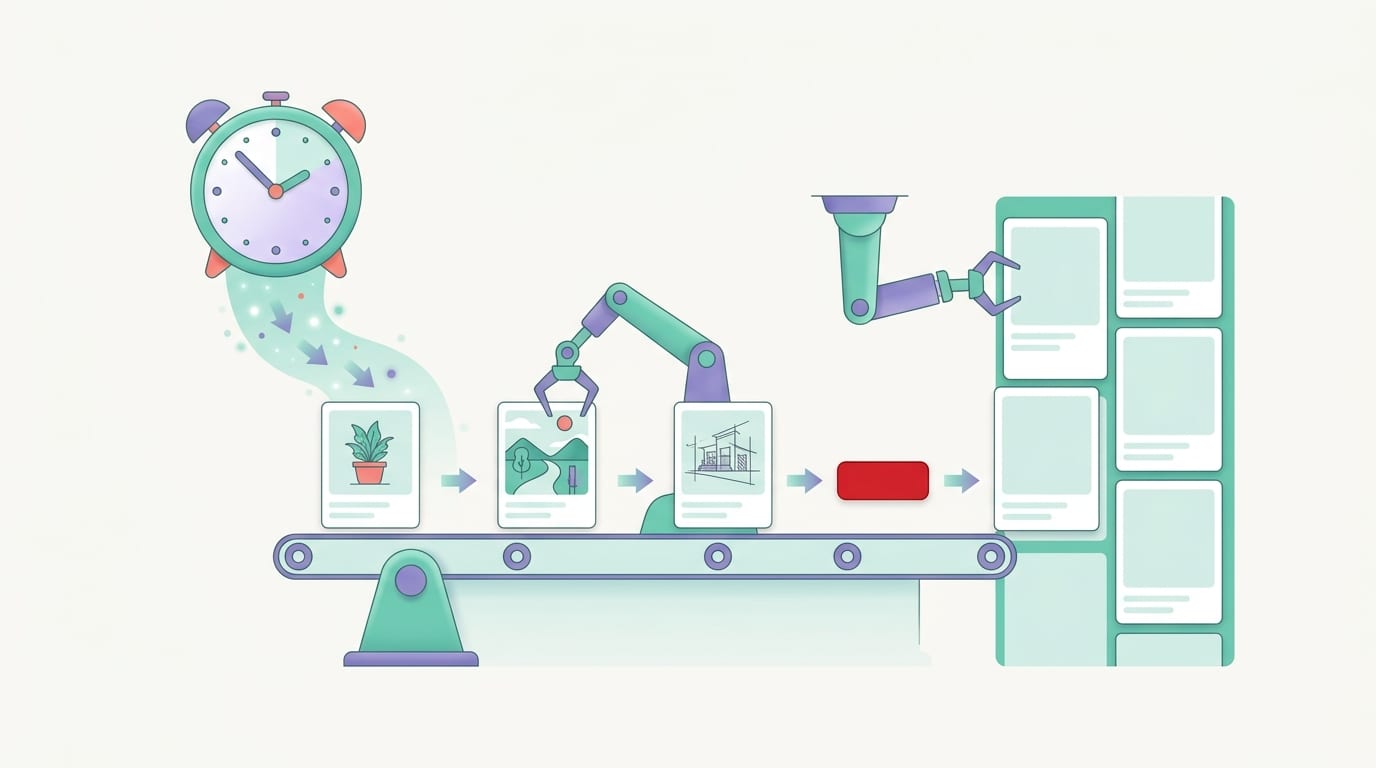
A content queue is a list of posts waiting to be published. Think of it as a conveyor belt for your marketing. You load it with posts, define the publishing slots, and the system releases items one by one. No drama. No “I thought Dave was posting today.” Dave did not post today. Dave is at a conference eating branded cupcakes.
Queues are useful because they separate content creation from content publishing. You can batch-create posts on Monday and have them publish throughout the week, month, or quarter. This is especially helpful for creators and small teams because batching reduces context switching. Instead of designing a pin every single morning, you create 30 pins in one focused session and let automation distribute them.
There are several types of queues:
Evergreen Queues
Evergreen queues contain content that stays relevant for a long time. Examples include how-to guides, product category pages, best-selling products, tutorials, list posts, and resource pages. This type of content can be recycled carefully because it doesn’t expire quickly.
Seasonal Queues
Seasonal queues are built around holidays, trends, events, or shopping periods. Think Halloween crafts, summer outfits, back-to-school planners, Christmas recipes, tax season guides, or Black Friday deals. Timing is everything here. A Christmas gift guide posted on December 26 is technically festive, but mostly tragic.
Promotional Queues
Promotional queues support launches, sales, affiliate campaigns, webinars, new products, or lead magnets. These require closer monitoring because they often have deadlines, pricing changes, or limited availability.
RSS-Based Queues
RSS automation detects new blog posts and can automatically create social posts from them. For publishers and bloggers, this is extremely useful. PinGenerator supports RSS feeds for Pinterest workflows, meaning new blog content can become pins automatically. That helps keep your Pinterest account active without requiring you to manually pin every new article like it’s 2012 and your mouse has unlimited durability.
Timing Strategies: When Should Automated Posts Go Live?
The best posting time depends on your audience, platform, niche, and content type. There is no universal magic hour, despite what the internet’s many “post at exactly 8:03 a.m. or perish” charts might suggest.
That said, timing still matters. According to Sprout Social’s research on the best times to post, engagement windows vary by platform and audience behavior. These studies are useful starting points, but your own analytics should eventually guide the schedule.
Here’s how to approach timing like a practical human, not a spreadsheet goblin:
- Start with known platform patterns. Use industry research to choose initial time slots.
- Consider audience routines. Are they browsing before work, during lunch, at night, or on weekends?
- Spread posts out. Avoid dumping all content at once unless your strategy is “surprise avalanche.”
- Test consistently. Try different times for at least a few weeks before drawing conclusions.
- Review performance by content type. Product pins, tutorials, and inspirational content may perform differently.
- Adjust based on real data. Keep what works. Retire what flops. Give the weird outlier a suspicious glance.
For Pinterest, consistency tends to matter more than obsessing over a single perfect posting time. Pinterest is part search engine, part discovery platform, and part “I will now plan a kitchen remodel I cannot afford.” Pins can continue generating traffic long after they are published, which makes sustained posting especially valuable.
If you’re still learning the platform itself, this guide on how Pinterest marketing works is a useful companion because it explains why Pinterest behaves differently from fast-moving social feeds.

Automation Rules That Keep You From Looking Like a Spam Bot in a Trench Coat
Good automation feels consistent and helpful. Bad automation feels like a robot discovered copy-paste and developed confidence. The difference is in your rules.
When setting up automated posting, use safeguards that protect quality and platform trust:
- Avoid duplicate overload: Don’t publish identical content repeatedly in a short period.
- Use variation: Change visuals, headlines, descriptions, formats, and calls to action.
- Match content to destination: Send posts to relevant boards, profiles, or audiences.
- Respect platform limits: Stay within official rules and best practices.
- Review generated content: AI is helpful, but occasionally it writes like a toaster with ambition.
- Keep links accurate: Make sure URLs work and landing pages match the post promise.
PinGenerator is useful here because it creates multiple Pinterest pin variations from a single URL or product listing. Different templates, titles, descriptions, and layouts help keep content fresh while still promoting the same core asset. That’s exactly what Pinterest marketers need: volume without cloning the same pin until your account looks like a hall of mirrors.
Automation should amplify good strategy, not hide lazy strategy. If your offer is unclear, your visuals are confusing, or your landing page loads slower than a sleepy walrus, automation will not magically fix that. It will simply publish the problem more efficiently. Useful? Sort of. Terrifying? Also yes.
Where AI Fits Into Automated Posting
AI has made automated posting much more powerful because it can help generate the building blocks of content: captions, titles, descriptions, alt text, hashtags, summaries, image prompts, and design variations. Used well, AI reduces repetitive work. Used carelessly, it produces bland content that sounds like it was assembled in a beige conference room.
In a Pinterest workflow, AI can help with:
- Writing pin titles based on a blog post or product page
- Generating keyword-rich pin descriptions
- Creating alt text for accessibility and context
- Rewriting descriptions to avoid duplicates
- Translating content for different markets
- Suggesting visual concepts or image prompts
This is especially helpful for e-commerce sellers and bloggers. Imagine you have 100 products or 50 blog posts. Manually writing unique pin titles and descriptions for each one is the kind of task that makes people suddenly interested in cleaning the garage. AI-assisted automation makes the process manageable.
Industry adoption of AI in marketing continues to grow. HubSpot’s State of Marketing research regularly highlights how marketers use AI and automation to save time, improve content workflows, and scale campaigns. The key is not replacing strategy; it’s removing repetitive grunt work so humans can focus on messaging, positioning, and creative direction.
PinGenerator’s AI writer is built specifically for Pinterest content, which makes it more practical than asking a generic AI tool for “some Pinterest stuff please” and hoping it doesn’t produce five captions with the emotional texture of damp cardboard.
Common Automated Posting Problems and How to Fix Them
Even good automation systems occasionally hiccup. A post fails. An image format is rejected. A token expires. A queue runs dry. The software is not haunted; it just needs troubleshooting.
Problem 1: Posts Are Not Publishing
Possible causes include expired account permissions, disconnected profiles, API issues, missing media, unsupported file types, or platform-side errors.
Fix it by checking:
- Whether your social account is still connected
- Whether the tool has permission to publish
- Whether the post contains required fields
- Whether images or videos meet platform requirements
- Whether there are platform outages or API delays
Problem 2: Posts Publish at the Wrong Time
This is usually a time zone issue. Somewhere, a calendar setting is quietly betraying you.
Check the time zone for your account, workspace, campaign, and individual scheduled post. If you manage clients in multiple regions, document the time zone for each profile so nobody accidentally publishes a breakfast post at midnight.
Problem 3: The Queue Runs Empty
An empty queue means your automation has nothing to publish. It is not lazy. It is unemployed.
Fix this by setting a weekly or monthly batching routine. For Pinterest, you can use PinGenerator to create batches from URLs, store products, or RSS feeds so your queue stays full without constant manual work.
Problem 4: Engagement Drops
Automation can expose weak content patterns. If engagement drops, review your posting frequency, creative variety, topic relevance, and audience fit. You may be posting too often, not often enough, or repeating the same message without enough variation.
Resources like Moz’s Beginner’s Guide to SEO are also useful if your automated posting strategy relies on search-based discovery, because keywords, intent, and useful content still matter. Pinterest in particular rewards content that aligns with what people are actively searching for and saving.
Problem 5: AI-Generated Copy Sounds Weird
AI can be brilliant, but it can also describe a candle as “a luminous lifestyle cylinder.” Review your copy before scheduling large batches. Create reusable brand guidelines, preferred phrases, banned phrases, and examples of good captions. The better your inputs, the less your AI sounds like it was raised by product manuals.

Best Practices for a Reliable Automated Posting System
If you want automated posting to work smoothly, build it like a repeatable process rather than a last-minute rescue mission.
Start with a simple weekly workflow:
- Choose the content you want to promote.
- Create or import post assets.
- Generate variations for different audiences, boards, or campaigns.
- Review titles, descriptions, visuals, and links.
- Schedule content into appropriate time slots.
- Check the calendar for gaps, duplicates, or awkward clusters.
- Review performance weekly and improve the next batch.
For Pinterest specifically, focus on fresh creative, relevant boards, keyword-friendly titles, and steady publishing. PinGenerator makes this workflow faster because it combines design, AI writing, bulk creation, and scheduling in one place. Instead of hopping between a design tool, spreadsheet, AI chat, calendar, and Pinterest dashboard like a caffeinated frog, you can manage the workflow from a single platform.
For broader social media automation strategy, this related PinGenerator article on automated social media posting offers a wider view of how automation fits into multi-channel marketing.
Also, keep a human in the loop. Automation should not mean abandoning judgment. Review scheduled campaigns before holidays, major news events, product changes, or pricing updates. A perfectly scheduled post can still be perfectly wrong if the context changes.
How PinGenerator Uses Automated Posting for Pinterest Growth
PinGenerator is built around a very specific problem: Pinterest marketing requires consistent, high-quality pinning, but manual pin creation and scheduling is painfully slow. Every pin needs a graphic, title, description, link, board, and publish time. Multiply that by dozens or hundreds of pieces of content, and suddenly your “quick Pinterest strategy” has become a part-time job wearing a fake mustache.
Here’s how PinGenerator fits into the automated posting workflow:
- Import content quickly: Paste a URL, connect a store, upload products, or use RSS feeds.
- Create pins in bulk: Generate many unique pin designs from one content source.
- Use Pinterest-ready templates: Choose from professionally designed layouts built for Pinterest dimensions and best practices.
- Generate AI copy: Create optimized titles, descriptions, and alt text without writing everything manually.
- Schedule pins: Publish immediately or schedule pins across multiple boards and profiles.
- Repeat evergreen content: Keep valuable content circulating over time with repeating pins.
This is especially powerful for bloggers, affiliate marketers, Shopify sellers, Etsy shops, WooCommerce stores, and agencies. If you have a catalog of products or a library of blog posts, PinGenerator can help turn those assets into a steady Pinterest publishing system. It is less “post when you remember” and more “build the machine, feed the machine, let the machine do the boring parts.”
And because PinGenerator is Pinterest-focused, the automation is not generic. It is designed around the way Pinterest content is created, optimized, scheduled, and distributed. That distinction matters. Pinterest is not just another social feed; it is a visual discovery and search platform where content can keep working long after publication.
Final Thoughts: Automation Is a System, Not a Snooze Button
So, how automated posting works is not mysterious: content goes in, rules are applied, platforms are connected, posts publish on schedule, and performance data helps you improve. The magic is not that software clicks “publish.” The magic is that it creates consistency without requiring you to manually babysit every post like a nervous plant parent.
The best automated posting systems combine planning, content variety, timing, platform rules, and regular review. They save time, reduce repetitive work, and make consistency realistic. But they still need strategy. Automation can carry the groceries; it should not decide what’s for dinner.
For Pinterest marketers, the opportunity is especially big. Pinterest rewards fresh, useful, visually strong content published consistently over time. That’s hard to do manually and much easier with a purpose-built tool. With PinGenerator, you can create, write, schedule, and publish Pinterest pins at scale from URLs, products, templates, AI copy, RSS feeds, and bulk workflows. In other words: fewer repetitive clicks, more consistent traffic opportunities, and dramatically fewer “I forgot to pin again” moments.
If you want to stop treating Pinterest like a chore monster hiding under your marketing desk, build an automated posting system. Start with a few content sources, create a simple schedule, test your timing, review your results, and improve as you go. Or let PinGenerator help you create a month of Pinterest content in minutes while you do something more glamorous, like finally clearing those 47 browser tabs. Your future self will applaud. Quietly. Because they are busy enjoying the traffic.