
How to Make Money on Pinterest for Beginners in 2026
3 October 2026
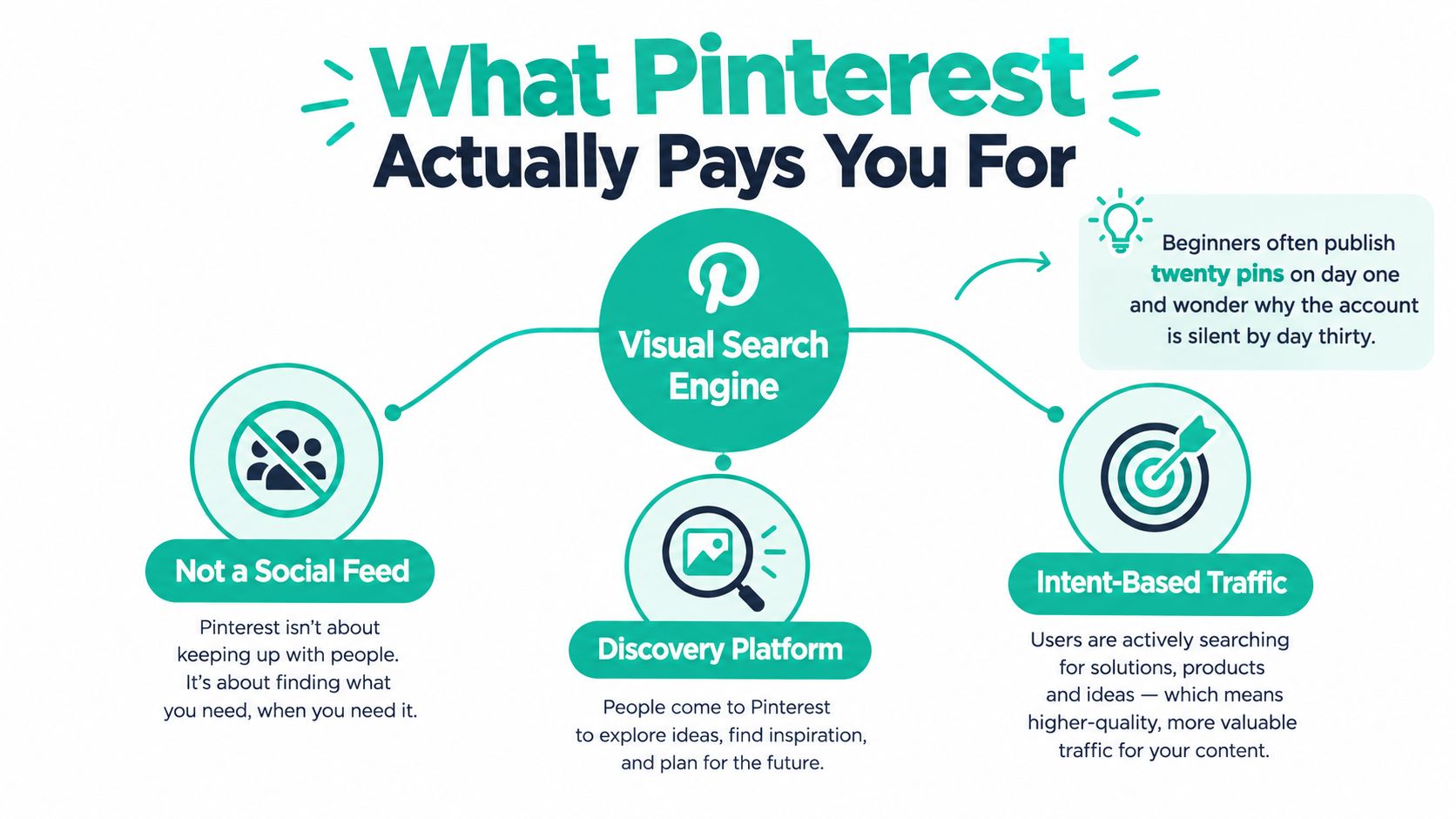
You publish twenty pins on the first day, refresh Analytics the next morning, and see almost nothing. By the end of the month, the account still feels silent, so you conclude Pinterest doesn't work. The more likely problem is that you treated Pinterest like a social feed instead of a search-driven traffic system.
Pinterest doesn't pay you for collecting views. You make money when Pinterest sends the right person to an affiliate offer, product page, blog post, email opt-in, or service. The platform reported 631 million monthly active users in Q1 2026, later reaching 640 million in Q2 2026, which makes it a substantial discovery channel for beginners who build around buyer intent rather than follower vanity metrics (Hootsuite's Pinterest statistics).
Table of Contents
- What Pinterest Pays You For
- Setting Up a Business Account That Sells
- Choosing a Niche and Monetization Path
- Pinterest SEO and Keyword Research
- Designing Pins People Save and Click
- Scheduling, Automation, and Recurring Publishing
- Measuring Results and Optimizing Monthly
What Pinterest Pays You For
A searcher types “pantry storage,” saves a useful pin, clicks through, and reaches a page with a product, affiliate recommendation, email form, or service offer. That sequence is the business model. Pinterest is a visual search engine with a social layer, so your pin earns its keep by connecting a specific problem with a useful destination that can generate revenue.
Pinterest doesn't pay creators per view. Beginners generally earn through affiliate commissions, digital or physical products, sponsorships, email capture, or traffic sent to a monetized website. Pinterest supplies discovery. You supply the offer and the conversion path. Skup's practical sell on Pinterest guide makes the same operating point: treat Pinterest as a route to a sale, not a direct creator payout system.
The signals that create useful traffic
Pinterest can evaluate several forms of engagement when deciding which content deserves distribution:
- Saves show that a user wants to return to the idea.
- Outbound clicks show that the pin created enough interest to move someone off Pinterest.
- Watch time matters for video and Idea Pin formats because it indicates whether the content held attention.
- Consistent publishing from a claimed domain helps connect your profile, content, and destination site into one recognizable topic system.
A standard pin usually combines an image, headline, description, and destination URL. An Idea Pin or video format keeps content inside Pinterest, while a rich pin can pull additional information from a connected website. A board groups related pins around a topic. A save, historically called a repin, means a user adds a pin to a board for later discovery.
Start with standard pins that solve a clear problem and lead to a relevant page. You do not need every format on day one. One evergreen pin can continue sending visitors after publication, so a small library of useful, well-indexed assets can outperform a frantic stream of disconnected posts.
Practical rule: Build a catalog of searchable answers first. Add monetization to the answers that attract qualified clicks.
For beginners, making money on Pinterest means building a search-indexed collection of buyable ideas. Give each pin one job, make each board reinforce a topic, and give every destination an obvious next step. Followers are optional. A reliable path from search query to offer is required.
Setting Up a Business Account That Sells
A personal Pinterest account encourages random saving. A business account gives you the foundation for measurement, website connection, and commercial publishing. Convert the account before you build a serious content library, then remove personal boards and unrelated saves from the public profile. Your audience shouldn't have to move through vacation inspiration to find your kitchen organization products.
Make the profile understandable in seconds
Use a display name that combines your brand with the topic you serve. “Maya's Home Organization” tells both a human and Pinterest what the account covers. “Maya's Corner” doesn't. Add a short profile description that states the audience, problem, and type of solution you publish.
Your profile image should remain recognizable when displayed very small. A clean logo, simple symbol, or clear headshot usually works better than a detailed collage. Keep the username close to your brand or domain so the account feels connected to the destination website.
Claim your website through Pinterest's verification process, using the available verification tag or HTML-file method. This connects pins from your domain to your account and gives you a more reliable view of how your content travels. If you skip the claim, you're leaving useful ownership and analytics signals on the table.
Rich Pins are worth enabling when your site supports the relevant content type. Product, article, and recipe information can add context to a pin, but the markup needs to be correct on the website first. Treat Rich Pins as structured information, not decoration.
Build boards as a keyword map
Create tightly themed boards before you start publishing at scale. Each board should represent a topic a real person might search, not an emotion or vague category.
For a home-organization account, useful board names could include:
- Small Apartment Storage Ideas, with descriptions covering compact storage, renter-friendly organization, and space-saving furniture.
- Kitchen Pantry Organization, focused on pantry layouts, container systems, and practical food storage.
- Budget Bathroom Hacks, covering inexpensive bathroom storage, decluttering, and small-bathroom improvements.
Write a short description for every board using natural phrases related to its title. Keep the profile focused. A board called “Inspo” gives Pinterest very little context, while a board built around a clear search phrase tells the platform exactly where your pins belong.
Don't mix personal saves with business content, and don't create a board because the name sounds attractive. Add a section sub-board only when it represents a meaningful topic of its own. A board structure should help a visitor browse and help Pinterest classify your content, not display every idea you've ever liked.
Your first-day setup checklist
Before publishing your first public pin, confirm that your business account is active, your website is claimed, and your profile uses a clear niche phrase. Add focused boards with descriptions, check that the profile image is legible at a small size, and prepare a draft pin that points to a real page.
That setup gives Pinterest a coherent account to index. It also gives you a clean place to measure which topics attract saves and outbound clicks once publishing begins.
Choosing a Niche and Monetization Path
The fastest way to waste time on Pinterest is to choose a niche because it sounds popular, then search for a product afterward. Choose the commercial problem first. Pinterest's audience is large and international, with the United States remaining its biggest single market and substantial audiences in countries including Brazil, Mexico, Germany, and France (Hootsuite's market overview). That scale creates room for narrow topics, but it doesn't rescue a vague offer.
Match the path to the funnel
There are five sensible routes for beginners:
| Path | Setup effort | Time to first $ | Scalability | Risk |
|---|---|---|---|---|
| Affiliate links | Low to moderate | Can be relatively quick when intent is strong | Depends on commissions, offer quality, and traffic | You don't control the product or payout |
| Own digital or physical products | Moderate to high | Depends on product readiness and demand | Stronger control over pricing and customer value | Product creation, support, and fulfillment |
| Pinterest creator ads | Platform and content dependent | Unpredictable for a new account | Tied to eligibility and platform rules | Revenue depends on Pinterest's program terms |
| Sponsored content | High relationship effort | Usually slower without an established audience | Can become valuable with a clear niche | Brand demand and audience expectations |
| Blog traffic with ads or email capture | Moderate to high | Usually slower at first | Unlocks multiple monetization routes | Requires ongoing publishing and conversion work |
Affiliate marketing is the cleanest starting point for many beginners because you can test demand without creating inventory. The catch is that low commissions require meaningful traffic and a relevant offer. A beginner-focused affiliate guide places early monthly earnings in the $50 to $300 range and explains why volume takes time to compound (Ecomli's affiliate marketing guide). Treat that range as a practical reality check, not a promise.
A product business gives you more control. A printable, template, course, handmade item, or shop product can turn a pin into a direct sales asset. It also creates more responsibilities, including customer experience, delivery, refunds, and product updates.
Blog traffic is slower but strategically useful. A blog post can promote an affiliate offer, collect email subscribers, support a product launch, and build search visibility beyond Pinterest. That makes a niche site a stronger long-term asset than a collection of direct links, provided you can maintain it.
For most beginners, my default stack is one high-intent affiliate offer plus a focused landing page or small blog. The page should solve a problem, explain the recommendation, disclose the affiliate relationship, and offer a next step such as an email signup. You can explore the mechanics further in this Pinterest and Amazon affiliate marketing guide, but don't start by promoting a dozen unrelated products.
Use a ruthless niche filter
Score a niche against three questions:
- Commercial intent: Do people search for solutions, products, comparisons, or instructions that lead naturally to a purchase?
- Search depth: Can you create many specific topics instead of repeating one broad phrase?
- Personal knowledge: Can you explain the problem credibly and keep publishing when the novelty wears off?
Home organization, budget recipes, and low-investment crafts pass this filter because they combine visual ideas with practical products. Motivational quotes, generic lifestyle content, and day-in-the-life vlogs usually fail for a beginner because the path from impression to purchase is blurry.
Choose one audience, one problem family, and one initial offer. If you can't write a sentence that connects the pin to the product, the niche isn't ready.
Pinterest SEO and Keyword Research
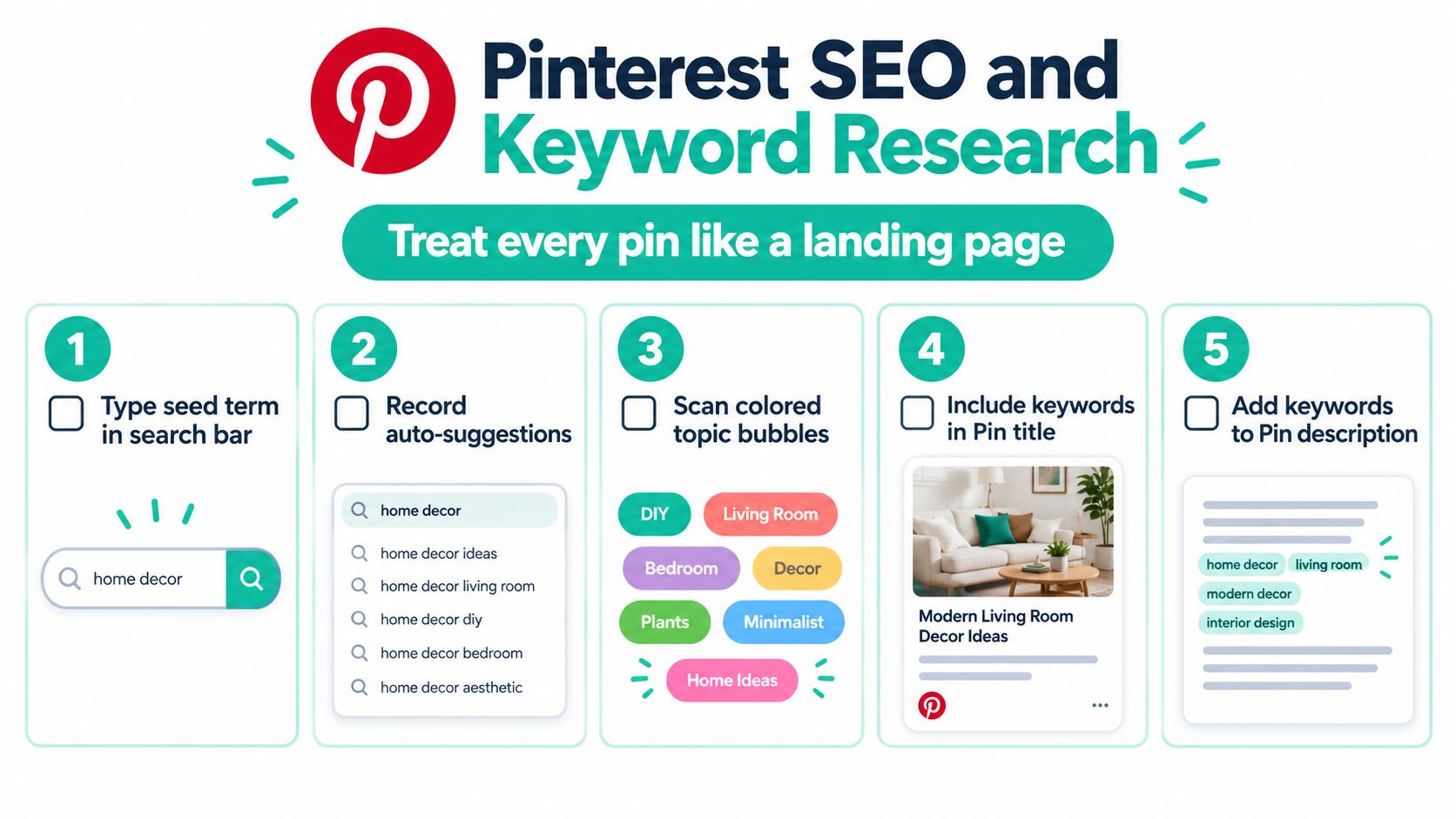
A pin about “home ideas” can attract attention and still send no qualified traffic. A pin targeting “small apartment storage ideas” gives Pinterest, the reader, and your sales funnel a clearer job. Build the query first, then create the asset. That order keeps your boards, links, and conversion path connected from the start.
Start in Pinterest's search bar. Enter a broad seed term, record the suggested searches, and inspect the related topic bubbles above the results. These suggestions show the language Pinterest connects with the query. Check broader interest in Google Trends, then use Pinterest Trends or a tool such as Keywords Everywhere to find specific long-tail phrases.
Place the query where it matters
Put the primary keyword near the beginning of the pin title. Use it naturally in the opening part of the description, then add supporting phrases that clarify the benefit, audience, or format. Write for a person who may click. A comma-separated keyword pile gives neither Pinterest nor the reader a useful promise.
Write alt text as a literal description of the image, followed by a relevant phrase where it fits. “Clear pantry containers arranged on white shelves, pantry organization ideas for small kitchens” describes the visual and supplies useful context. Disconnected terms do neither job well.
Apply the same search logic to boards. Name each board with a query a person might type, then describe the topic in natural language. Keep the board structure broad enough to support regular publishing. Create a sub-board only when it represents a distinct topic with enough content for useful browsing. This structure helps you group pins by search intent and route each group toward the right destination.
Your keyword map should also reflect the funnel. Informational queries can lead to an educational article, comparison queries can lead to a product page, and problem-focused queries can lead to an offer with a clear next step. Record that destination before designing the pin. Pinterest research is more visual. The core discipline remains identical to any other channel: understand the query before producing the asset. The MD TECH TEAM SEO guide offers useful background on matching search language with customer needs.
Build a publishing brief before designing
For every pin, write the target query, user problem, promise, destination URL, funnel stage, and secondary phrases in a short brief. Add the board where it belongs and the publishing slot you can sustain during week one. This prevents a graphic promising “tiny bathroom storage” from sending visitors to a generic home page, and it gives your later automation a clear input.
Use rising searches for timely content, evergreen queries for repeatable variations, and seasonal topics early enough for Pinterest to index them before demand peaks. Recent trend coverage reported growth around thrift-focused searches, including “dream thrift finds” up 550%, “vintage fall aesthetic” up 1,074%, and “thrift décor” up 488% (Fashionista's Pinterest trend coverage). Those signals cannot guarantee sales. They can identify a timely topic before competition increases.
The Pinterest search engine optimization guide can support your search-bar research. Use it to strengthen the workflow, then apply judgment to the offer, destination, board, and publishing cadence. Keyword tools find language. Your brief decides whether that language can produce a useful visit and a plausible conversion.
Designing Pins People Save and Click
A pin has to earn attention before it can earn a click. Beginners often make the image attractive but forget to make the promise obvious. The viewer should understand the benefit quickly, even if they never read the description.
Use a tall, mobile-friendly composition as your default. Create a strong typographic hierarchy with one benefit-led headline, a supporting line when necessary, and a short call to action. Keep the words large enough to read on a phone, and don't cover them with a busy photograph. A softly blurred background, a solid color panel, or a strong contrast block gives the headline somewhere to breathe.
Make the design do one job
A good pin answers one question: why should this person click? “Kitchen storage ideas” is descriptive. “Make a narrow pantry easier to use” gives the viewer a reason to continue. Match the headline to the destination page so the click feels like a continuation rather than a bait-and-switch.
Keep the composition inside a safe central area so cropping doesn't cut off the important text. Use a consistent logo or URL strip near the bottom, but keep it subordinate to the benefit. Branding should make your content recognizable without turning the pin into an advertisement nobody can read.
Create one reusable template for each content pillar. A recipe pin can have a different structure from a product pin, but every recipe variation should share a reliable layout. That reduces decision fatigue and makes your account look intentional.
| Element | Do | Don't |
|---|---|---|
| Headline | Lead with one specific benefit | Stack several unrelated promises |
| Image | Show the product or result clearly | Use a busy image that competes with the text |
| Typography | Use strong contrast and readable sizing | Rely on thin text over a detailed photo |
| Call to action | Use a short instruction such as “See the setup” | Add a long sentence in tiny type |
| Branding | Keep the logo or URL in a consistent position | Let the brand mark dominate the creative |
| Destination | Match the pin promise to the page | Send a storage pin to a generic home page |
A useful test is to shrink the design until it resembles a thumbnail. If the headline disappears, the hierarchy is wrong. If the image communicates the topic but the benefit doesn't, rewrite the headline instead of adding more decoration.
Design test: Remove one element from the pin. If the message becomes clearer, that element was probably doing less work than you thought.
Scheduling, Automation, and Recurring Publishing
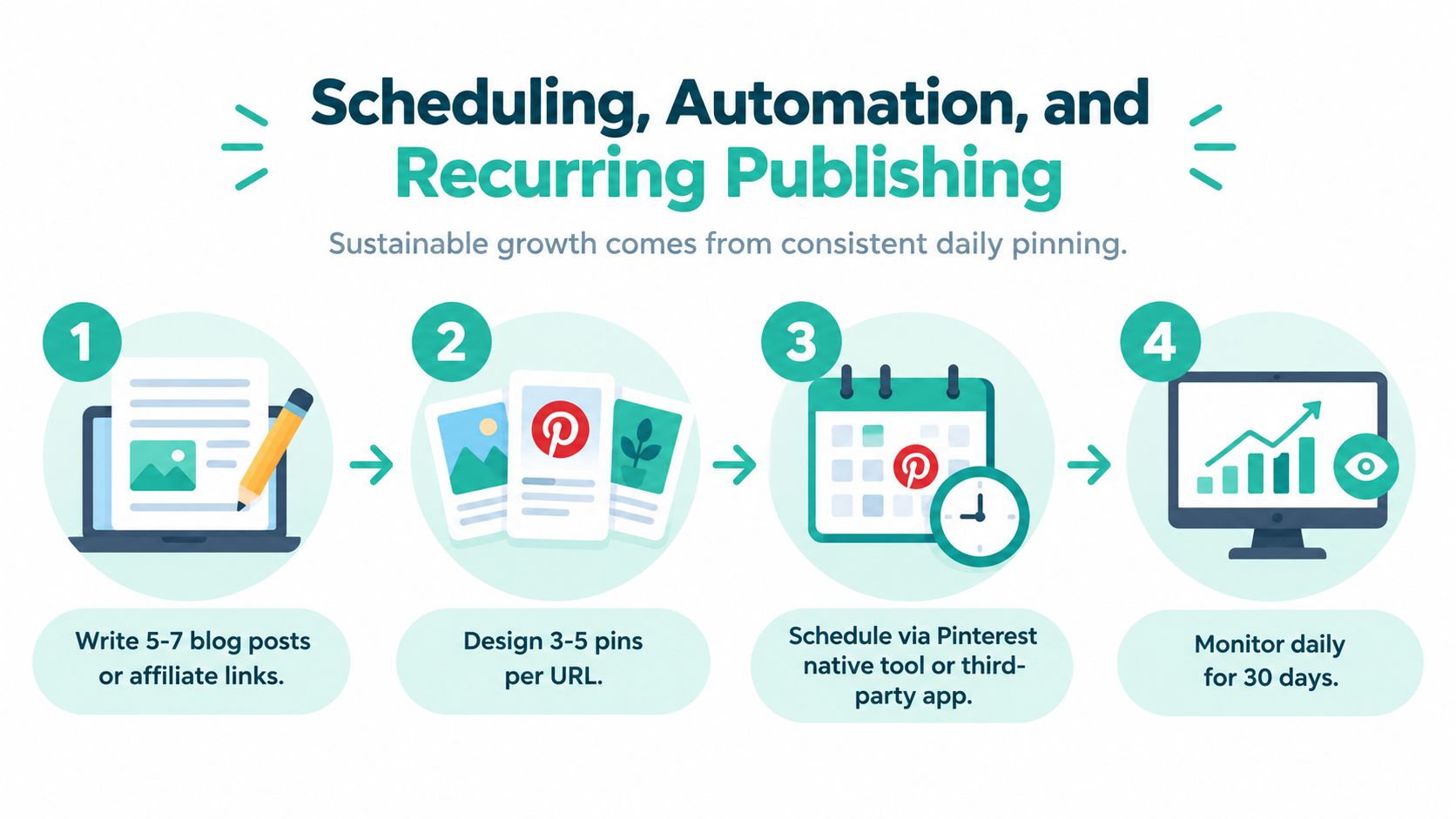
Most beginners publish pin by pin, which turns scheduling into a daily chore rather than a weekly habit. Batch the work instead. Choose a publishing day, collect the week's URLs, write metadata in one sitting, and create several variations for the same content pillar. This keeps your traffic system focused and frees you from switching between keyword research, copywriting, design, and uploading every few minutes.
Start with Pinterest's native scheduler while you learn what your audience responds to. You need to understand board selection, timing, descriptions, and destination links before handing those decisions to a tool. Once the workflow is stable, scheduling software can remove repetitive tasks without hiding weak strategy.
Automate the repeatable parts
Automation should preserve judgment. Set a clear rule for each content type:
- Blog content: Create fresh variations that lead to the same useful article, then rotate them through relevant boards. Do not distribute the identical asset everywhere.
- Products: Update the pin creative when the product, image, price, or availability changes.
- Affiliate content: Check the destination regularly. Links must work, disclosures must remain visible, and the recommendation must still match the pin.
- Top performers: Give a successful topic a new visual treatment instead of recycling one image indefinitely.
Tailwind can help manage a queue and recurring schedules. Pin Generator can create on-brand designs, write titles, descriptions, and alt text, choose relevant boards, and schedule recurring publishing from product catalogs, RSS feeds, and connected stores. Use these systems only after setting templates and keyword rules. Otherwise, you will automate confusion at impressive speed.
Set a cadence you can keep
A steady queue beats a heroic publishing burst. Decide how many fresh URLs and creative variations you can maintain without lowering quality. Keep a small reserve of content so a busy week does not turn the account silent.
Review every scheduled pin before it goes live. Check the destination, disclosure, spelling, board fit, and visual consistency. Automation handles repetition well, but it will not reliably catch an out-of-stock product or a headline that promises more than the landing page delivers.
Your goal is a useful stream of search-aligned content that supports the funnel. Publish enough to keep traffic moving, then spend your best thinking on offers, pages, and customer problems. That balance is more profitable than flooding Pinterest with weak variations.
Measuring Results and Optimizing Monthly
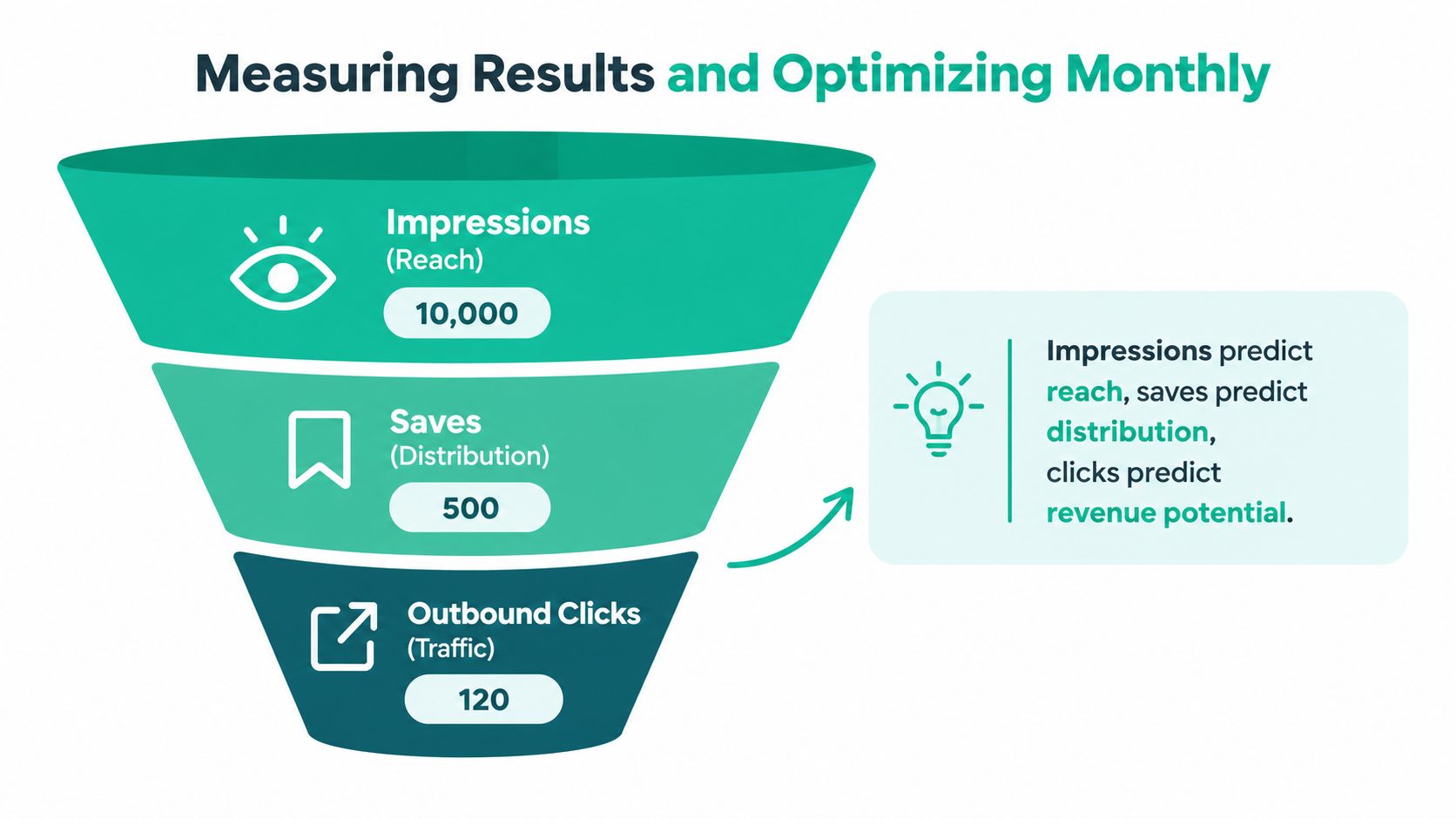
Ignore follower count until you understand the funnel. Impressions tell you whether Pinterest is showing the content. Saves indicate that users consider it worth returning to. Outbound clicks show whether the creative and promise created enough interest to leave Pinterest. The destination page then determines whether that traffic becomes an email subscriber, sale, or affiliate commission.
Connect Pinterest Analytics with Google Analytics 4 and use consistent campaign tracking. Read performance in layers rather than celebrating a large reach number with no commercial action. A pin with modest impressions and strong outbound behavior may deserve more creative variations than a widely displayed pin nobody clicks.
Use the numbers to locate the failure
If impressions are weak, inspect the keyword, board fit, account focus, and creative relevance. If saves are healthy but outbound clicks are poor, the pin may be useful as inspiration but weak as a sales prompt. Rewrite the headline, clarify the benefit, and make the destination more obvious.
If clicks arrive but sales don't, stop changing the pin first. Examine the landing page, offer match, price, trust signals, mobile experience, and disclosure. Pinterest can deliver intent, but it can't repair a page that answers a different question.
Adobe's beginner guidance suggests aiming for the first 100 to 300 monthly outbound clicks and watching for a 2% to 5% conversion rate on the destination page (Adobe Express's Pinterest monetization guide). Those figures are useful as directional benchmarks, not guarantees. Your offer, audience, page quality, and commission structure determine what the traffic is worth.
Run a small monthly review
At the end of each month, open your top pins and top boards. Look for repeated topics, visual treatments, and phrases among the assets that attract qualified clicks. Then make one focused change rather than redesigning the entire account.
- Refresh weak packaging: Rewrite titles and test a clearer cover image.
- Improve board relevance: Move misplaced pins and remove boards that don't support the niche.
- Protect the funnel: Check broken links, outdated products, and missing disclosures.
- Expand proven demand: Create new angles around topics that bring useful visitors.
- Record commercial outcomes: Track clicks, conversions, commission value, and email growth together.
Spend a short, regular block of time reviewing the numbers and choose one test for the next publishing cycle. That habit beats a quarterly panic in which you delete everything, change niches, and blame the algorithm.
Pin Generator can turn product catalogs, feeds, and articles into branded pin variations while handling titles, descriptions, alt text, board selection, and recurring scheduling. If you want a repeatable Pinterest traffic system instead of another week of manual uploads, visit Pin Generator and connect the workflow to the offer you chose.