
How to Use Pin Generator: Your Guide to Automated Pinterest Growth
1 October 2025
If you're a creator or run an e-commerce store, you know the biggest challenge on Pinterest: the relentless need for fresh, engaging content. Pin Generator is an AI-powered tool designed to solve exactly that problem by automatically creating hundreds of unique pins directly from your website. This guide will walk you through exactly how to use it to put your content creation on autopilot.
Why Use a Pin Generator for Your Content?
Making Pinterest pins one by one is a soul-crushing time sink. The hours spent picking images, writing descriptions, and adding logos add up fast. For a platform that rewards consistency and volume, doing it all manually is a massive bottleneck.
This is where Pin Generator completely changes the game. It acts like your own personal printing press for Pinterest content. Instead of painstakingly crafting every single pin, you just give it the source material—a blog post URL or a product page. The tool takes over from there, intelligently pulling your content and using AI to generate an endless stream of optimized pins.
From Manual Effort to Automated Success
At its core, this powerful pingenerator turns your existing assets into a steady flow of new, ready-to-publish content. It automates the most repetitive parts of Pinterest marketing so you can focus on strategy instead of tedious design work.
Here’s a simple breakdown of how it functions:
- Content Connection: You link your website, blog, or e-commerce store (like Shopify or Etsy).
- Intelligent Scanning: The tool scans the URL you provide, grabbing key elements like images, product details, and text.
- AI-Powered Generation: Using your content and pre-selected templates, it creates dozens or even hundreds of unique pin variations, including fresh titles and descriptions.
- Effortless Scheduling: Once created, the new pins can be scheduled to post automatically, keeping your Pinterest presence consistent without you having to lift a finger every day.
This isn't just about saving time; it's about amplifying your marketing. By turning a single piece of content into 50 different pins, you're creating 50 new opportunities for your audience to find you.
Why Automation Is a Must for Pinterest
Pinterest's algorithm loves fresh content. Consistently posting new, original pins is one of the best ways to boost your reach and drive traffic. But for most business owners, creating that much content by hand is completely unrealistic. This is the exact problem Pin Generator was built to solve.
By automating the creation process, you can maintain a high-volume posting schedule that keeps your account active and relevant in the eyes of the Pinterest algorithm. It’s a strategic advantage that lets you compete without burning out. To get a feel for the bigger picture of content automation, it’s helpful to understand how a general AI social media content generator operates.
Step 1: Setting Up Your Pin Generator Account
Getting started with Pin Generator is designed to be fast. We'll walk through the essential first steps to get you from a new account to a full queue of scheduled pins in just a few minutes.
The whole idea is to build momentum from the get-go. You connect your accounts, tell the tool where your content lives, and then let its AI do all the heavy lifting.
How to Securely Connect Your Accounts
First, you need to build a bridge between Pin Generator and your Pinterest profile. This is a secure authorization process, which means you're just giving the tool permission to post for you—you never have to share your actual password.
- Sign Up for Pin Generator: Head to the site and create your account to access the main dashboard.
- Navigate to Account Settings: Find the section for connecting your social profiles.
- Authorize Pinterest: You’ll be redirected to Pinterest to log in and approve the connection. This is the official, secure way to ensure both platforms can communicate safely.
Once that's done, Pin Generator can see your boards and scheduling info, setting the stage for automation.
How to Link Your Content Source
With Pinterest hooked up, the next step is to show Pin Generator where to find its raw material. This is where you link up the website, blog, or store you want to promote.
You can connect a few different kinds of content sources:
- A Website or Blog URL: Perfect for bloggers who want to turn a single article into dozens of unique pins.
- An E-commerce Store: We've got direct integrations with platforms like Shopify, WooCommerce, and Etsy to make creating product pins a breeze.
- An RSS Feed: Automatically pull in your newest content the moment it goes live.
Think of this step like pointing a camera at your best stuff. The tool now knows exactly where to look for images and text, making the next part almost effortless.
Step 2: Generating and Scheduling Your Pins
Alright, this is the fun part—making your first set of pins. Grab a link to one of your connected sources, like a recent blog post or a popular product, and paste that URL into the generation field. That one link is all the tool needs.
The core idea is simple: one URL, many pins. You give it a single piece of your content, and Pin Generator multiplies its reach by creating tons of variations. Each one is designed to catch the eye of a different person scrolling through Pinterest.
Once you enter the URL, the tool scans the page and pulls all available images. You can select which ones you want to use and then browse a library of professional templates. From there, the AI kicks in, writing unique titles and descriptions for each pin.
You can create up to 100 pins from a single link, building out weeks of content in just a few clicks. Review the generated pins, tweak anything you like, and then add them to your schedule. Just like that, you've built a content queue that's going to work for you around the clock.
How to Use Key Features for Maximum Engagement
Once you're set up, it's time to learn how to use the engine that drives real results on Pinterest. The specific features inside Pin Generator turn it from a simple scheduler into a strategic marketing weapon. These tools aren’t just about posting content; they’re about posting it in a way that gets you seen.
We're going to look at the core components that will elevate your strategy: mastering Pinterest SEO with AI, scaling up your content creation, and making sure your pins go live at the perfect moment.
The process of getting your pins ready to go is surprisingly simple. This graphic walks you through just how straightforward it is to configure, create, and schedule your pins.
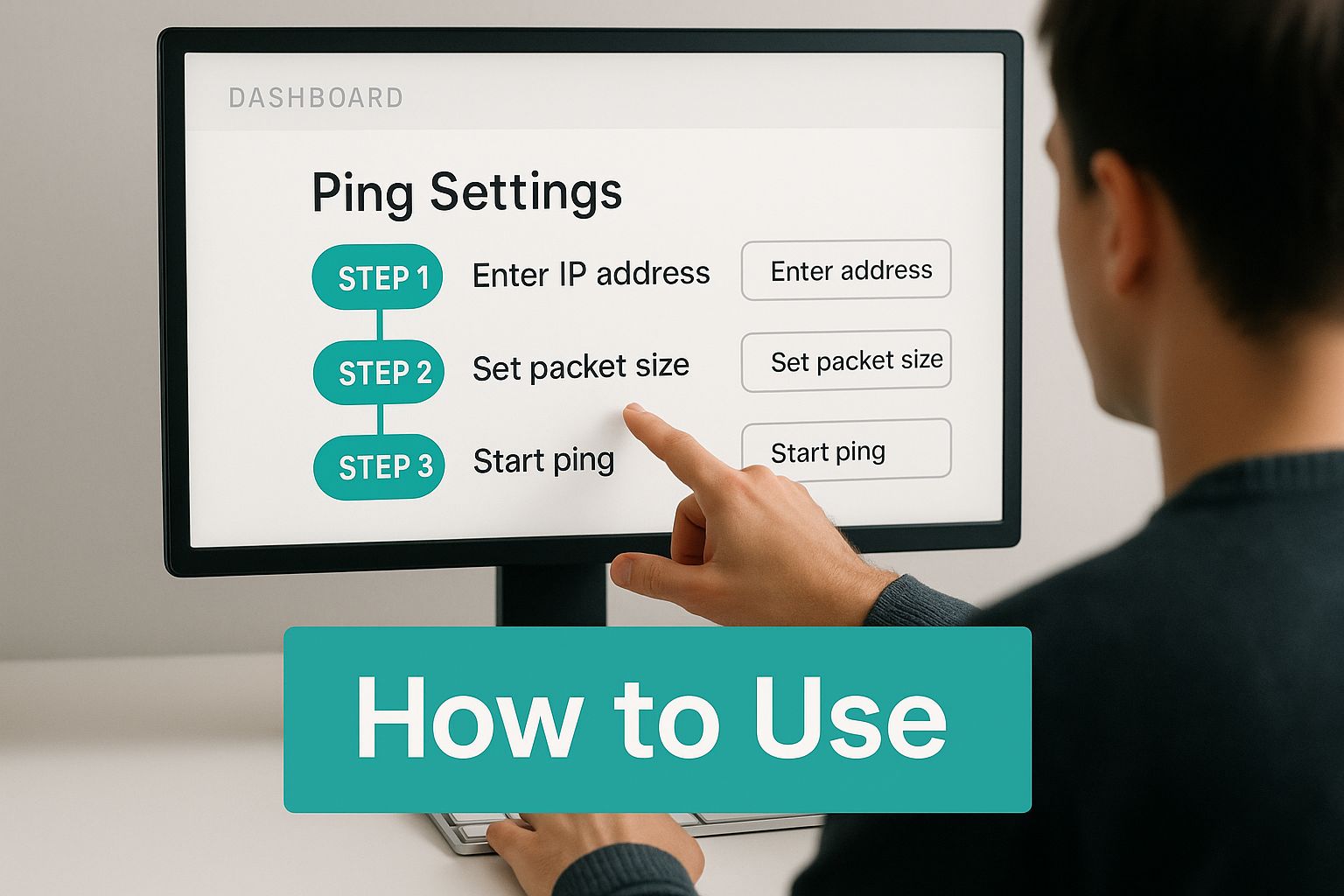
As you can see, the dashboard guides you from picking your content source to having a fully scheduled pin, all with total clarity.
Using the AI Title and Description Writer for SEO
Pinterest is a visual search engine, meaning your pin's title and description are as important as the image. They tell the Pinterest algorithm what your pin is about and who needs to see it.
The AI Title & Description Writer becomes your secret weapon here. Instead of you wracking your brain for dozens of variations, the AI does the heavy lifting. It scans your source content—a blog post or product page—and creates compelling, relevant text that’s optimized for how people search on Pinterest.
Think of this feature as your in-house SEO expert. It understands Pinterest search nuances and writes text designed to rank, saving you hours of research while making your content more discoverable.
For instance, if you have a post on "healthy vegan breakfast ideas," the AI might generate titles like "Easy Vegan Breakfasts for Busy Mornings" or "High-Protein Plant-Based Breakfast Recipes," targeting different search intents to multiply your chances of getting found.
Using the Bulk Pin Creator to Scale Content
The biggest win of using a tool like Pin Generator is the ability to scale. The Bulk Pin Creator is the feature that makes this happen. It lets you take a single URL and generate a huge batch of unique pins from it in one go.
Imagine you're an Etsy seller with a new line of handmade jewelry. Instead of creating one pin for each necklace, you can use the Bulk Pin Creator to generate 50 different pins for the entire collection page. Mix and match product shots with different templates and AI-generated descriptions to build a diverse library of content, ready to be scheduled.
A blogger can do the same, turning one long-form article into a whole month's worth of Pinterest content. Creating dozens of variations lets you test what your audience clicks on—all from a single piece of content you already made.
Using Smart Scheduling to Post at Peak Times
Making hundreds of pins is only half the battle. You need to post them when your audience is most active. The Smart Scheduling feature takes the guesswork out of your timing.
This tool helps you build a posting calendar that lines up with peak Pinterest usage, ensuring your pins are published when people are most likely to see, save, and click. You set up your schedule once, and every pin you add to the queue automatically gets assigned the next open slot. It’s a "set-it-and-forget-it" system that guarantees a consistent flow of content without manual daily posting.
Here’s a quick breakdown of how to use these core features to benefit your workflow.
Pingenerator Feature Breakdown and Benefits
| Feature | Primary Function | Key Benefit |
|---|---|---|
| AI Title & Description Writer | Generates SEO-optimized text for pins based on your content. | Improves pin discoverability in search and saves hours of writing time. |
| Bulk Pin Creator | Creates dozens of unique pins from a single URL in minutes. | Massively scales your content production without extra effort. |
| Smart Scheduling | Automatically posts your pins at optimal times for engagement. | Maximizes reach and engagement by posting when your audience is active. |
Each feature is designed to solve a specific pain point in the Pinterest marketing process. Pin Generator is quickly becoming a go-to tool for this reason. For example, one food blogger used it to go from 10 pins a week to 100, resulting in a 215% jump in website traffic in just three months. You can see how it stacks up by checking out a deeper comparison of Pinterest automation tools.
How to Connect Pin Generator to Your E-Commerce Store
For anyone selling on platforms like Shopify, WooCommerce, or Etsy, integrating Pin Generator turns your product catalog into a powerful content machine that pulls qualified traffic to your product pages.
Instead of manually uploading product photos and copy-pasting details for every pin, you just connect your store once. After that, the tool automatically pulls all the info it needs.
Connecting Your Shopify Store
Shopify users benefit from a direct, powerful integration. Once connected, Pin Generator can tap into your product listings, automatically grabbing images, titles, descriptions, and even the current price.
For a new collection launch, you can generate hundreds of unique, on-brand pins for the entire collection in minutes, building immediate buzz. This direct link also ensures accuracy; if you update a product's price on Shopify, your next batch of pins will automatically reflect that change. If you're running a Shopify store, our guide on the AI pin generator for Shopify dives deep into this specific workflow.
This automation is a game-changer for sales events. You can create a huge wave of promotional content announcing a discount, all featuring the correct sale price and linking directly to the right product pages.
Streamlining Your WooCommerce and Etsy Shops
The benefits are just as significant for WooCommerce and Etsy sellers. The core idea is the same: automate the creation of product-focused pins to save time and drive sales.
Here are a few powerful workflows you can set up right away:
- New Product Launches: Connect your store and generate a massive batch of pins the day a new product drops.
- Sales and Promotions: Create dozens of pins highlighting a weekend sale or special discount code to build urgency.
- Evergreen Bestsellers: Set up a recurring schedule to continuously promote your most popular products.
- Seasonal Campaigns: Generate themed pins for holidays, pulling directly from your seasonal product categories.
To get the most out of this integration, it helps to understand the architecture of these platforms. For a great breakdown, check out this guide on the best CMS for ecommerce platforms.
Turning Your Catalog into a Content Engine
By integrating your e-commerce store with Pin Generator, your product catalog becomes a living source of endless content. This creates a fantastic feedback loop: more pins drive more traffic, which gives you more sales data. You can then double down on promoting your most popular items, creating a highly effective, automated sales funnel powered by Pinterest.
Advanced Strategies for Bloggers and Affiliates
For bloggers and affiliate marketers, success hinges on driving traffic to content to monetize through clicks and commissions. A powerful pingenerator is essential for this volume-based strategy. The goal is to turn a single blog post into dozens of visually unique pins, each tailored to grab the attention of a different slice of your audience.
How to Multiply Your Reach with Pin Variation
The key to winning on Pinterest is recognizing that not everyone is drawn to the same headline or visual style. Creating a single pin for a blog post is like fishing with one hook. Creating multiple variations is like casting a wide net.
With Pin Generator, you can instantly spin up 20, 30, or even 50 unique pins from just one URL. Every pin can pull a different image from your post, use a different template, and feature an AI-generated title targeting a specific long-tail keyword. This approach dramatically expands your content’s reach by appealing to different user preferences.
How to Craft High-Converting Affiliate Pins
Successful affiliate marketing on Pinterest provides genuine value first. Instead of just slapping a product image on a pin with a link, use Pin Generator to create compelling visuals that solve a problem.
- Create "Round-Up" Style Pins: Generate pins for a blog post like "10 Must-Have Gadgets for Your Home Office," where each gadget is an affiliate product.
- Showcase "How-To" Content: Make pins for tutorials that feature an affiliate product, like "How to Style a Bookshelf Using These Organizers."
- Highlight Key Benefits: Use bold text overlays to call out a product's main advantages, focusing on how it helps the user.
The most effective affiliate pins don't just sell a product; they present a solution. By creating pins that are genuinely helpful, you build trust and encourage users to click through, leading to higher conversion rates.
With 66% of users on Pinterest to find products to buy, it's a commercial powerhouse. You can find more stats on this over at Wikipedia's timeline of Pinterest.
How to Build a "Set It and Forget It" Content Pipeline
The ultimate goal for any busy creator is a system that works for you. With Pin Generator, you can build an automated pipeline that turns your latest content into a steady stream of fresh pins.
By connecting your website's RSS feed, the tool automatically knows when you publish a new article. From there, it can generate and schedule a batch of pins for that post without you lifting a finger. This keeps your Pinterest presence consistent—a huge signal to the platform's algorithm. To get the full breakdown on this, check out our guide on using AI Pinterest pin templates for bloggers.
Choosing the Right Pin Generator Plan for You

Picking the right Pin Generator plan isn't just about features; it's about matching the tool to your current needs and future ambitions. Let's break down who these plans are built for so you can pick a tier that feels like a smart investment.
The Part-Time Blogger or New Creator
If you're just starting out, your main goal is getting consistent on Pinterest without it becoming a full-time job. The entry-level plan is your perfect starting point.
- Sufficient Pins: You'll get more than enough pins to maintain a consistent schedule for one or two websites.
- Core Automation: You get access to the AI Title & Description Writer and Smart Scheduling.
- Professional Look: You can use custom templates to ensure every pin stays on-brand.
This plan is designed to eliminate the manual work so you can build momentum from day one.
The Growing Shopify Store or Full-Time Blogger
When your blog or store is taking off, it's time to scale up. A mid-tier plan is built for this stage of growth, giving you a serious leg up with a huge bump in your monthly pin allowance.
The moment you should upgrade comes down to one question: Is my current plan holding me back? When you find yourself wishing you could create more pins than your limit allows, that's your cue.
This is also where you might get features like team member access or more detailed analytics to dial in your Pinterest strategy.
The Marketing Pro or Agency
For power users like marketing agencies or large e-commerce brands, it’s all about maximum efficiency and seamless scalability. The top-tier plan is your command center. It gives you the highest pin limits and lets you manage multiple brands or websites from a single login, making it the core of your entire Pinterest operation.
Frequently Asked Questions About Using Pin Generator
Jumping into a new tool always brings up questions. Let's tackle the most common ones to clear up any final hesitations.
Is It Safe to Connect My Pinterest Account?
Absolutely. Connecting your Pinterest account to Pin Generator is done using OAuth, the official, Pinterest-approved method for tools like ours to connect to your account. We get permission to schedule pins on your behalf without ever seeing or storing your password. It's a limited, secure handshake that keeps your account safe.
How Good Is the AI-Generated Text, Really?
It's surprisingly good. The AI is trained to write titles and descriptions that sound natural and are optimized for Pinterest search. It scans your content for context and then generates relevant, engaging options. We always suggest giving it a quick review to match your brand voice, but it consistently produces high-quality text that saves a massive amount of writing time.
Think of the AI as a powerful assistant. It does about 95% of the heavy lifting, so you can focus on the final polish and strategy.
Can I Customize Templates to Match My Brand?
Yes, and you absolutely should! While Pin Generator comes with a library of ready-to-use templates, its real power is in customization. You can easily upload your logo, set your brand fonts and colors, and design templates that are unmistakably you. Once you save a branded template, you can apply it to hundreds of pins with a single click, ensuring every piece of content is perfectly on-brand.
Ready to stop the soul-crushing manual work and put your Pinterest growth on autopilot? With Pin Generator, you can turn your content library into a non-stop stream of traffic-driving pins.